

HiPaint - Paint Sketch & Draw
4.40
-

Sprache
English
-

OS
Android
-

Developer
Aige
-

#Version
4.1.0
App-Beschreibung
Discover HiPaint: Your Ultimate Drawing and Painting Companion
Welcome to HiPaint, the go-to app for artists seeking a seamless blend of professional-grade tools in a user-friendly package. Transform your creative vision into stunning sketches, paintings, and illustrations with ease. HiPaint is more than just an app—it's your complete pocket art studio, offering a myriad of powerful drawing features tailored to unleash your artistic potential.
Key Features
-
Light User Interface
- Simplified interface for enhanced focus on creativity
- Quick sliders for easy brush adjustments
- Brand new dark UI interface for a sleek and powerful experience
-
Brushes Features
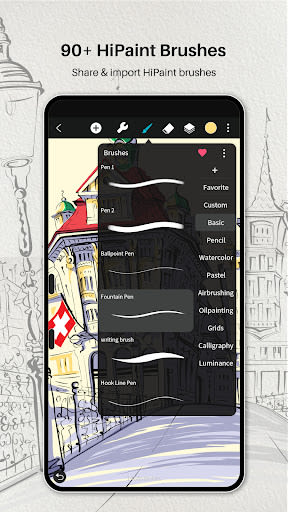
- 90+ common and delicate brushes for versatile artwork
- 90 customizable brush settings for precise drawing effects
- Brush Studio to design custom brushes
-
Color Features
- Eyedropper for selecting the perfect color
- Paint Bucket Tool for efficient coloring
- Previous Color and Color Palette for quick color selection
-
Layer Features
- Well-organized layer function interface
- Support for up to 100 layers for efficient creation
- Multiple layer parameters and blend modes for professional compositions
-
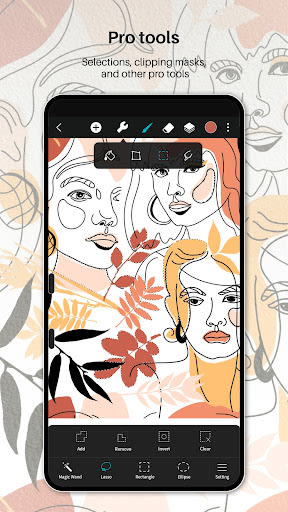
Other Important Painting Tools
- Stabilizer for smooth strokes in real-time
- Shape insertion tools and canvas flipping options
- Import images for editing or reference
-
Dramatic Finishing Effects
- Gaussian filters, HSB, and RGB adjustments
- Real-time Hue, Saturation, and Brightness control
- Sketch filter for line extraction and blur effects for depth
-
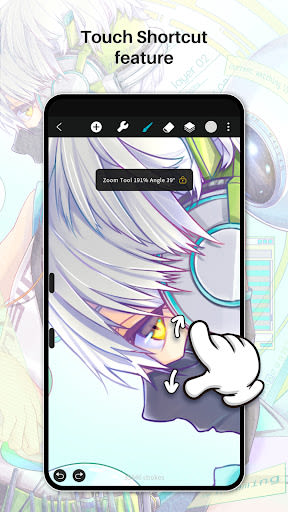
Multi-touch Gestures Features
- Intuitive gestures for undo, redo, zoom, and rotation
- Eyedropper activation and precision shape drawing
Benefits
- Unlock your creativity with a comprehensive set of tools
- Enhance your artwork with professional-grade finishing effects
- Effortlessly navigate through layers and colors for seamless creations
Why Choose HiPaint
- User-friendly interface for a streamlined creative process
- Extensive customization options for brushes and colors
- Multi-touch gestures for intuitive control
Technical Information
- Compatibility: iOS, Android
- Quick undo and redo options
- Export and share your artwork easily
Unleash your artistic prowess with HiPaint—download now and let your creativity flourish!
Screenshots
Videos
Similar

AI Art Generator: Photo, Draw
Smart AI DEV

How to draw weapons. Step by step drawing lessons
Udenity

Virink What To Draw
Virink

Grid Drawing
The AppGuru

How to draw dinosaurs. Step by step lessons
Udenity

PENUP - Share your drawings
Samsung Electronics Co., Ltd.
How to draw weapons step by step, drawing lessons
Udenity

How to draw cute food, drinks step by step
Udenity

Sand Draw Sketchbook: Creative Drawing Art Pad App
Kalrom Systems LTD

DrawCutie - Draw Cute Girls
BOOSTIFLY LTD

AR Drawing: Sketch & Paint
AR Drawing

How to draw animals. Step by step drawing lessons
Udenity