

Viper SmartStart
4.50
-

Sprache
English
-

OS
Android
-

Developer
Voxx DEI, LLC
-

#Version
5.3.8
App-Beschreibung
Discover, Connect, and Manage Your Vehicle Anywhere with Our Smart Directory Listing App!
Are you ready to revolutionize how you interact with your car? Experience the power of seamless connectivity and control with our cutting-edge directory listing app, available for Android devices. Rated as "one of the coolest apps ever seen" by GIZMODO and endorsed by Edmunds.com for making the cloud-connected car a reality, our app offers unparalleled convenience and peace of mind for car owners.
Key Features:
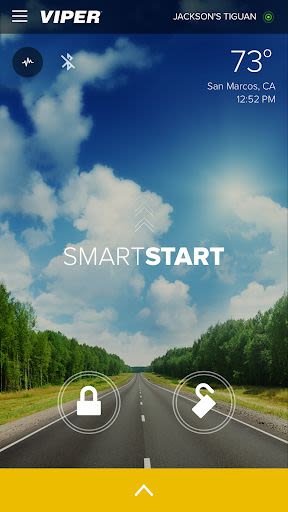
- Remote Car Control: Start, lock, and unlock your vehicle from virtually anywhere.
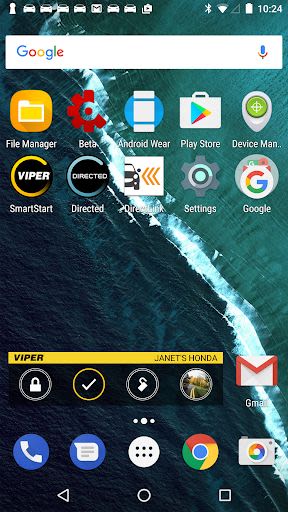
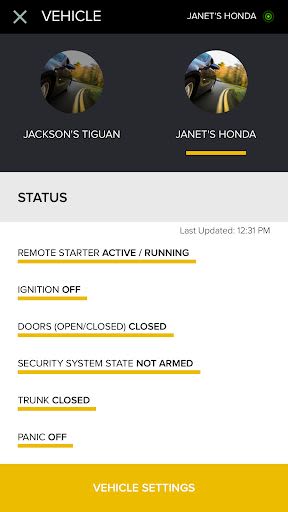
- Real-Time Status Updates: Stay informed with updated dashboards and control your car with your Wear OS smartwatch.
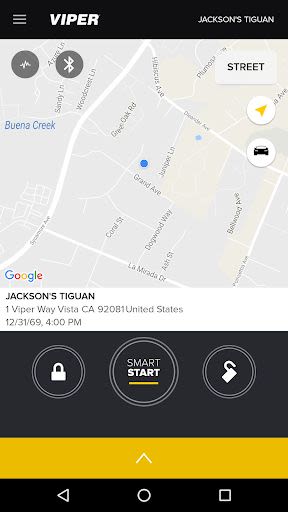
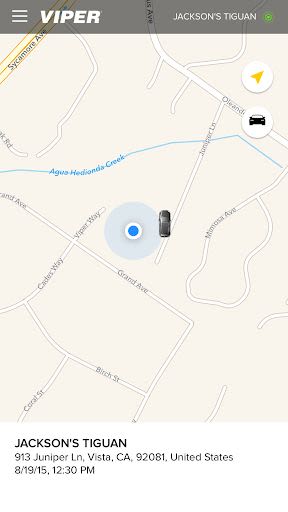
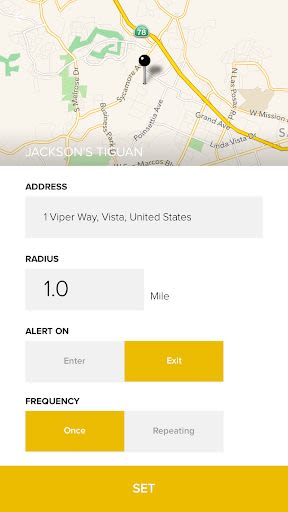
- Vehicle Tracking: Locate your car, share its location, and receive safety notifications.
- Enhanced Dashboard: Access engine runtime, diagnostic codes, fuel level, and more for a comprehensive car monitoring experience.
- Viper SmartStart GPS Module: Seamlessly integrate with your Viper remote start or security system.
Benefits:
- Ultimate Connected Car Experience: Enjoy fingertip control over various car functions.
- Convenient Installation: Download the app, install the SmartStart system, set up your account, and start using it.
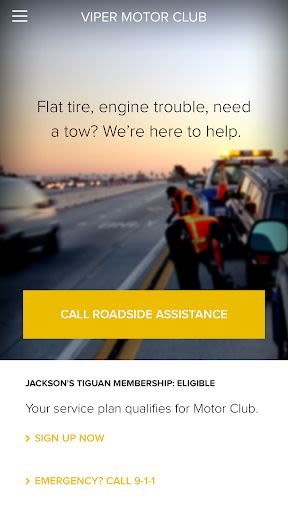
- Roadside Assistance: Access 24/7 roadside assistance via Viper Motor Club for added peace of mind.
- Customizable Alerts: Receive notifications via push alerts, email, or SMS based on your preferences.
Why Choose Our App:
- User-Friendly Interface: Modern dashboards for easy navigation and control.
- Wearable Compatibility: Control your car using your Android Wear smartwatch.
- Customizable Settings: Tailor the app to suit your individual needs and preferences.
- Enhanced Security: Secure your vehicle with 2-way control confirmations and theft protection features.
Technical Information:
- Compatibility: Android devices
- Additional Requirements: Viper SmartStart GPS module, Wear OS smartwatch
- Service Plans: Free 30-day GPS trial, option for a year of free Basic service, Secure service for advanced features
How to Get Started:
- Download the app for free.
- Install the SmartStart system in your vehicle.
- Set up your account and start using the SmartStart system.
Don't miss out on the opportunity to elevate your car ownership experience. Download our directory listing app today and take full control of your vehicle wherever you go!
Stay connected, stay in control – with our Smart Directory Listing App!
Screenshots
Videos
Similar

Wingman: AI Dating Assistant
Vert Media

TenderBang: Dating for Locals
Tender Meetups App

Real Life Network
RealLife Network

Bible for woman + audio
biblia1960

Lalo
Lalo

American Greetings Ecards
American Greetings

Spirit Box Ghost EVP P-GB11
Marcus Ferron

Discotech: VIP Bottle Service, Guest List, Tickets
Discotech, Inc.

Frontdoor
frontdoor

Quran Majeed – Holy Quran
Gwal Apps

Row Counter - Knit and Crochet
Annapurnapp Technologies

RIZZ
TrendIt