

Switch Access
4.40
-

Sprache
English
-

OS
Android
-

Developer
Google LLC
-

#Version
1.13.0.502298773
App-Beschreibung
Control Your Device with Ease Using Switch Access
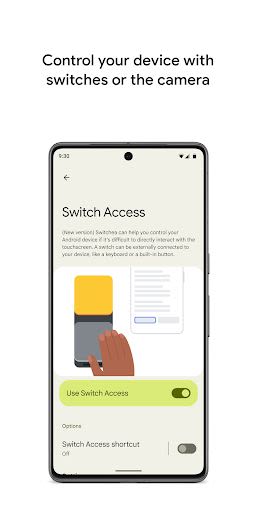
Switch Access is a revolutionary app that allows you to control your Android device using switches or even the front camera. Whether you prefer physical switches or camera gestures, Switch Access provides a seamless way to interact with your device without relying solely on the touchscreen.
Getting Started
To begin using Switch Access:
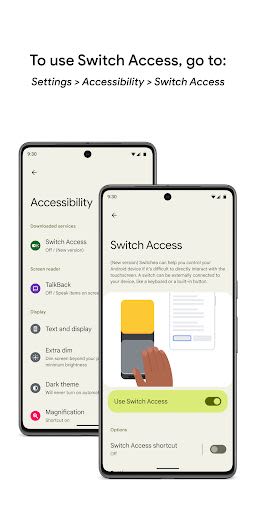
- Open your device's Settings app.
- Tap into Accessibility > Switch Access.
Setting Up Your Switch
Switch Access scans your screen items and offers different switch options to enhance your user experience:
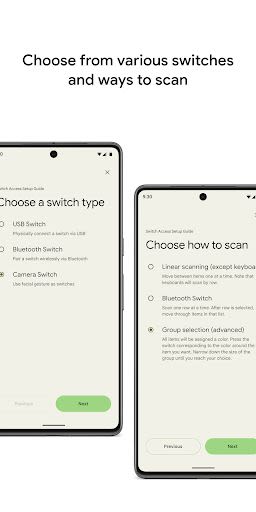
- Physical switches: Utilize USB or Bluetooth switches like buttons or keyboards.
- On-device switches: Make use of on-device switches such as volume buttons.
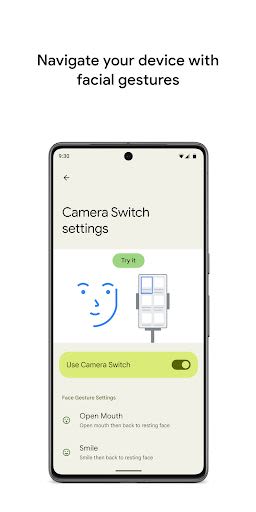
- Camera switches: Interact by opening your mouth, smiling, or raising your eyebrows, among other gestures.
Navigating Your Device
Once you set up your switch, navigate through your device with ease using various scanning methods:
- Linear scanning: Move between items one by one.
- Row-column scanning: Scan one row at a time and navigate within the selected list.
- Point scanning: Select a specific location using moving lines and press "Select."
- Group selection: Assign switches to color groupings to efficiently interact with items on the screen.
Interacting Efficiently
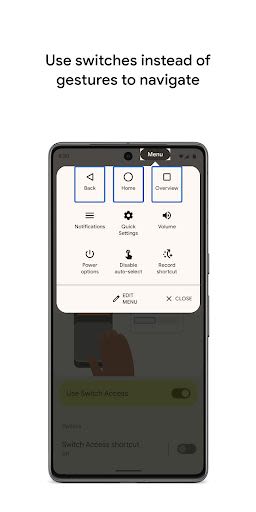
When an element is selected, explore a range of interactions in the menu, including select, scroll, copy, paste, and more. Additionally, find a top-screen menu to swiftly navigate through your device, accessing features like notifications, home screen, and volume control.
Camera Switches for Facial Gestures
Experience the convenience of navigating your phone using facial gestures with Camera Switches. Easily browse and select apps using your phone's front camera, with customizable sensitivity and gesture duration options.
Streamline Actions with Shortcuts
Record touch gestures like pinching, zooming, or swiping to assign to switches or trigger from a menu. Simplify complex actions with a single switch, such as swiping left twice to turn pages in an ebook.
Permissions Notice
Rest assured, the Accessibility Service in Switch Access ensures smooth functionality by observing your actions, retrieving window content, and monitoring typed text.
Take control of your Android device like never before with Switch Access. Enhance accessibility, streamline interactions, and navigate effortlessly with this innovative app. Try Switch Access today and revolutionize your device experience.
Screenshots
Similar

Windows 11
Microsoft

Wear Flashlight
CodVerter

Grok
xAI

Cleaner Antivirus VPN Cleaner
Cleaner + Antivirus + VPN company

owoTrack
Finoki

تەختەکلیلی کوردی | Kurdish Keyboard
Goran Gharib

Icon Torch - Flashlight
Aleksandr Balaev

Secure VPN
Dream limited

VPN Proxy Master - Secure VPN
Share File Technologies by 090 Bravo

Give VPN
Speed Group dev

Super Antivirus - Clean Virus
SUPER ANTIVIRUS

Fly Browser-Search & Private
Readerland