

Vysor - Android control on PC
3.60
-

Sprache
English
-

OS
Android
-

Developer
ClockworkMod
-

#Version
3.1.4
App-Beschreibung
Vysor: Control Your Android from Your Computer
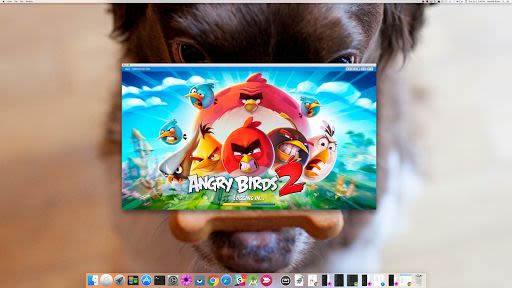
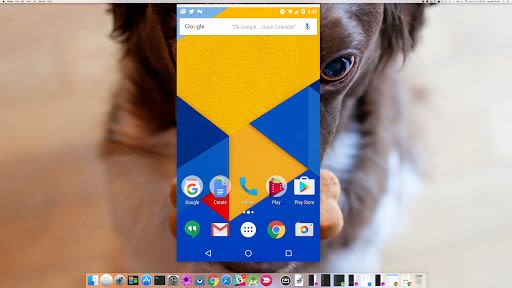
Vysor is your go-to solution for seamlessly viewing and managing your Android device directly from your computer. Whether you want to use apps, play games, or control your Android effortlessly using your mouse and keyboard, Vysor offers a user-friendly experience. With the option to go wireless and mirror your Android screen onto your desktop, Vysor is the perfect tool for presentations and remote assistance.
Key Features:
- View and control your Android device from your computer.
- Play games and use apps with ease.
- Wireless mirroring for desktop display.
- Share your screen with others for remote assistance.
- Ideal for developers to work on real Android devices without the need for an emulator.
- Set up device farms and debug applications remotely across multiple devices.
How to Get Started:
- Install Vysor for Android on your device.
- Enable USB debugging following simple instructions.
- Download the Vysor Chrome app for PC viewing.
- Windows users, install ADB Drivers for seamless connection.
Benefits:
- Effortlessly manage your Android device from your computer.
- Enhance productivity by avoiding the need to constantly switch between devices.
- Perfect for developers looking for real device testing without emulator hassles.
Why Choose Vysor:
Experience the convenience of controlling your Android device from your computer with Vysor. Say goodbye to emulator complexities and streamline your development process with Vysor's intuitive interface.
For any support or queries, visit our support forum.
Get Vysor today and take control of your Android experience like never before!
Screenshots
Videos
Similar

All Document Reader 2023
FunGear inc

QR Code Scanner for Android: QR Reader, QR Creator
Taymay - Simple & Effective.

ChatAI: AI Chatbot App
iKame Applications - Begamob Apps

App Lock - Applock Fingerprint
Trusted Tools

All Document Reader - One Read
Simple Design Ltd.

QR Scanner - Barcode Scanner
Leap Fitness Group

PDF Reader - PDF Viewer 2022
Simple Design Ltd.

FlyLadyPlus
FlyLadyPlus

BlackNote Notepad Notes
Notas Notepad

Free QR Code Reader & Barcode Scanner - QR Scanner
JonDev. Mobile

PDF Scanner APP - Scan to PDF
Simple Design Ltd.

Image to PDF Converter - JPG to PDF, PDF Maker
Simple Design Ltd.