
Drawing Apps: Draw, Sketch Pad
-

Language
English
-

OS
Android
-

Developer
Photo Editor Apps Maker Studio
-

#Version
1.5
App Description
Discover the Ultimate Drawing Experience with Drawing Apps 🎨
Are you ready to unleash your creativity and delve into the world of professional drawing and canvas painting? Look no further than Drawing Apps – the go-to game for realistic drawings that bring your artistic visions to life. Whether you're doodling, painting, sketching on photos, or exploring your inner artist, Drawing Apps offers a diverse range of tools and features to elevate your artwork.
Key Features:
- Sketch Pad: Create masterpieces with multiple layers and a variety of professional sketching tools.
- Kids Pad: Let your little ones explore Color Fill, Fun Paint, Glow Pen, and more for endless fun.
- Coloring Pad: Enjoy a fully-featured Color Palette with 500+ coloring pages for kids and adults alike.
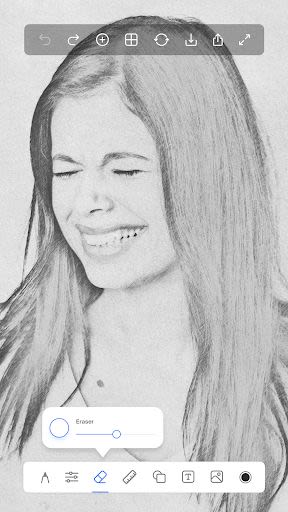
- Photo Pad: Draw on any photo using a range of brushes to add a personal touch to your pictures.
- Doodle Pad: Unleash your creativity with a simple drawing pad and customizable brush options.
Benefits:
- Versatile Canvas Sizes: Choose from a selection of canvas sizes to suit your needs, from tablets to postcard dimensions.
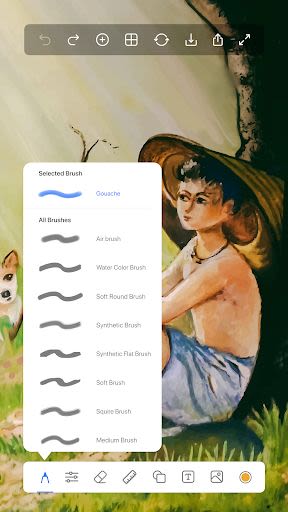
- Extensive Brush Collection: Access over 40 brushes including Pencils, Watercolors, Glow Brushes, and more for stunning artworks.
- Handy Ruler Tool: Perfect your line art with the ruler tool, ideal for creating precise lines and gradients.
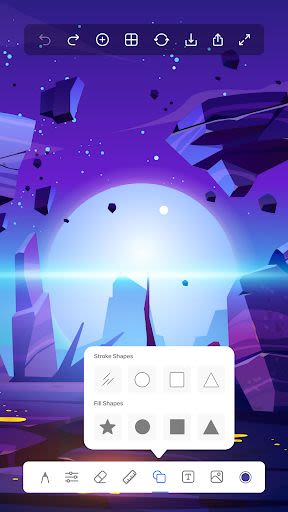
- Shape Tool: Easily create perfect shapes like circles, squares, and ovals without the need for additional drawing tools.
- Draw on Photos: Import images to trace and draw over, making it effortless to create art on top of existing photos.
- Text on Photos: Add text to your images with ease, allowing for personalized messages and creative expressions.
Why Choose This App?
Drawing Apps stands out from the crowd with its unparalleled features tailored for both beginners and seasoned artists. With a seamless offline and online experience, 40+ vibrant colors, and an intuitive interface, this app provides a platform for limitless creativity and expression.
Technical Specifications:
- Compatibility: Works on phones, tablets, and pads.
- Offline & Online: Seamlessly switch between offline and online modes for uninterrupted creativity.
- Support: Reach out to our dedicated development team with any questions or feedback at [email protected], and receive a response within 24 hours.
Unleash your imagination, explore new artistic horizons, and create stunning artworks with Drawing Apps. Start your creative journey today! 🎨🖌️
Screenshots
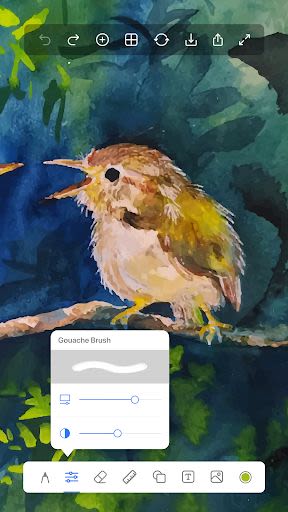
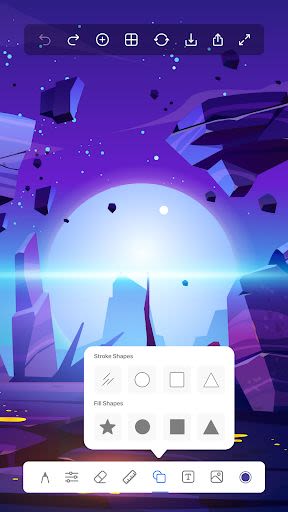
Similar

AI Art Generator: Photo, Draw
Smart AI DEV

How to draw weapons. Step by step drawing lessons
Udenity

Virink What To Draw
Virink

Grid Drawing
The AppGuru

How to draw dinosaurs. Step by step lessons
Udenity

PENUP - Share your drawings
Samsung Electronics Co., Ltd.
How to draw weapons step by step, drawing lessons
Udenity

How to draw cute food, drinks step by step
Udenity

Sand Draw Sketchbook: Creative Drawing Art Pad App
Kalrom Systems LTD

DrawCutie - Draw Cute Girls
BOOSTIFLY LTD

AR Drawing: Sketch & Paint
AR Drawing

How to draw animals. Step by step drawing lessons
Udenity