
Remote for LG Smart TV
3.60
-

Language
English
-

OS
Android
-

Developer
Kraftwerk 9 Inc.
-

#Version
2.2.0
App Description
Discover Smartify: Your Ultimate LG Smart TV Remote
Are you tired of juggling multiple remotes to control your LG Smart TV? Say hello to Smartify – the free remote control app that transforms your phone or tablet into a powerful LG TV controller with a keyboard and touchpad. Seamlessly connect your devices to the same Wi-Fi network, undergo a quick pairing process, and voilà – take charge of your TV from the palm of your hand.
Key Features:
- Universal Compatibility: Works with all LG TV models featuring WebOS or Netcast since 2012.
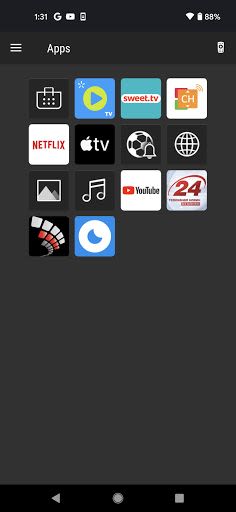
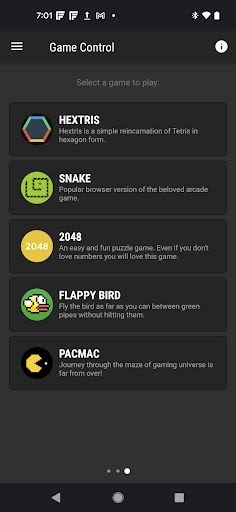
- Comprehensive Control: Access all TV functions with an extensive array of buttons.
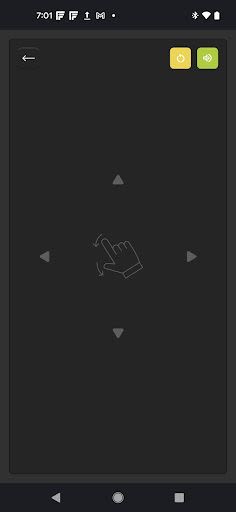
- Effortless Navigation: Navigate with ease using the large touchpad and scroll bar.
- Text Input Made Easy: Use the keyboard to type effortlessly in your TV browser.
- Automatic Connection: Say goodbye to PIN hassles with the automatic pairing feature.
- Wear OS Support: Control your LG TV from your wearable devices.
Benefits:
- Easily convert your smartphone or tablet into a convenient LG TV remote.
- Streamline your TV experience with simplified control at your fingertips.
- Enjoy seamless text input on compatible TV apps with Smartify's keyboard feature.
Why Choose Smartify:
- Enhance your TV control experience with a user-friendly interface.
- Access all essential TV functions without the need for multiple remotes.
- Enjoy hassle-free navigation and text input for a seamless viewing experience.
Compatibility:
- Compatible with LG Smart TVs running WebOS or Netcast since 2012.
Disclaimer:
Kraftwerk 9, Inc is an independent entity not affiliated with LG Electronics. "Smartify - LG TV Remote" is an unofficial LG product.
Transform your LG Smart TV experience today with Smartify. Simplify your control, enhance your viewing, and enjoy the convenience of a unified remote. Take charge effortlessly – download Smartify now!
Note: Text input availability may vary depending on the supported TV apps. The keyboard will automatically appear on your mobile device screen when activating the input field on your TV screen.
Screenshots
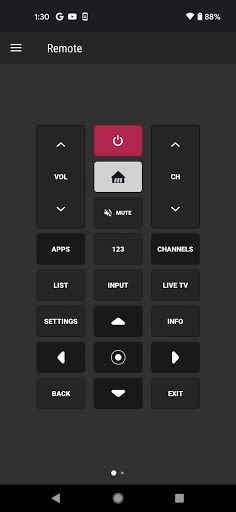
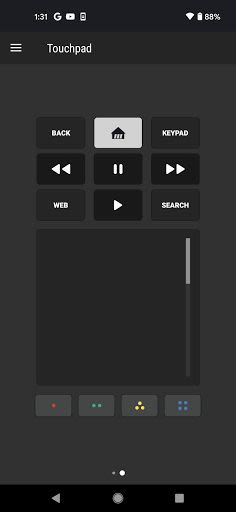
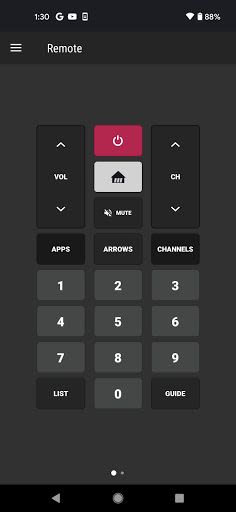
Similar

Windows 11
Microsoft

Wear Flashlight
CodVerter

Grok
xAI

Cleaner Antivirus VPN Cleaner
Cleaner + Antivirus + VPN company

owoTrack
Finoki

تەختەکلیلی کوردی | Kurdish Keyboard
Goran Gharib

Icon Torch - Flashlight
Aleksandr Balaev

Secure VPN
Dream limited

VPN Proxy Master - Secure VPN
Share File Technologies by 090 Bravo

Give VPN
Speed Group dev

Super Antivirus - Clean Virus
SUPER ANTIVIRUS

Fly Browser-Search & Private
Readerland