

My SafeLink
4.00
-

Language
English
-

OS
Android
-

Developer
textPlus
-

#Version
1.0.3
App Description
Welcome to SafeLink Wireless Directory Listing App
Are you a SafeLink Wireless user looking for a seamless way to manage your benefits on the go? Look no further! The new SafeLink Wireless app is here to make your life easier.
How It Works
- Download the app and enter your SafeLink number.
- Receive a validation code via text message.
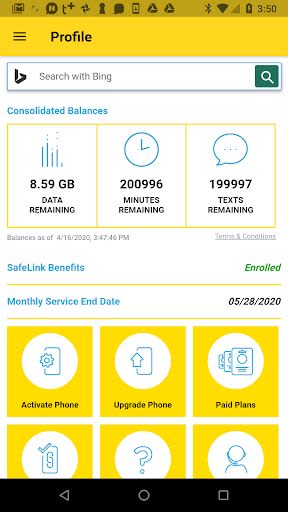
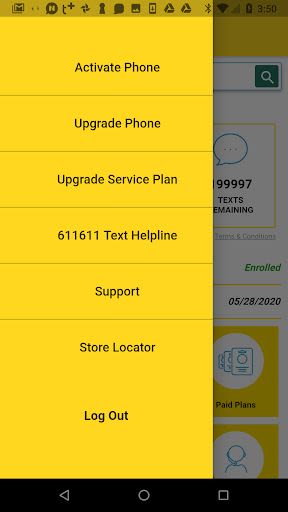
- Enjoy convenient access to a range of features:
- Upgrade and Activate your Device
- Purchase Paid Plans
- Recertify your Service
- Check your Balance
- Call Customer Care
- Retail Locator
- And more!
Key Features
- Manage your SafeLink benefits anytime, anywhere.
- Streamlined access to essential services.
- Quick and secure account validation process.
Benefits
- Stay in control of your SafeLink account effortlessly.
- Enjoy the convenience of managing your benefits at your fingertips.
- Access a variety of essential services conveniently through the app.
Why Choose This App
With the SafeLink Wireless app, you can handle all your SafeLink needs with ease. From device upgrades to plan purchases, customer care inquiries, and service recertification – everything you need is just a tap away!
Not a SafeLink Customer Yet?
Apply now and experience the convenience firsthand. Visit SafeLink Wireless for more information.
When using the app, please note that standard data rates may apply. Information transmission may experience delays and could differ from actual balances.
Don't miss out on the opportunity to simplify your SafeLink Wireless experience. Download the SafeLink Wireless app today!
Compatible with iOS and Android devices. Ensure you meet the minimum technical requirements for optimal performance.
Screenshots
Similar

ChatGPT
OpenAI

Whats Web - Whatscan for Web
Secure Soft Inc

Traductor de idiomas
Dinanyelis Rodriguez becosme

Email for Outlook
Utility Apps by XSDev

Cuballama
Cuballama

Sticker Maker for WhatsApp
Trusted Tools

Quick SMS Launcher - Messenger
Share File Technologies by 090 Bravo

Messages - SMS, Chat Messaging
Phase Zero Apps

Walkie Talkie, Talk Now, Push to Talk
Find Friends, Play Games among us, Live Voice Chat

CastChat - Match & Voice Chat
Guru AI Lab

ClanPlay: Community and Tools for Gamers
ClanPlay

Boost Mobile
DISH Wireless L.L.C.