
Venom Watch Face & Clock Widget
4.40
-

Language
English
-

OS
Android
-

Developer
thema
-

#Version
1.22.05.0120
App Description
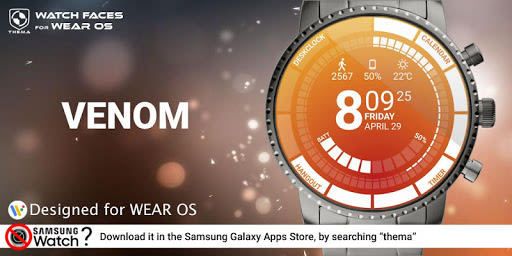
Venom Watch Face for Wear OS!
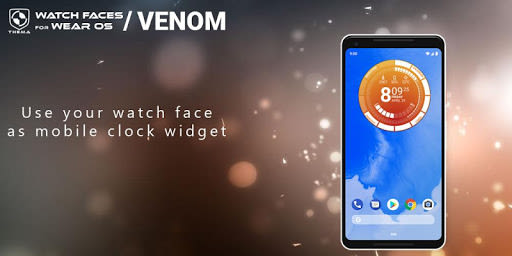
Introducing Venom Watch Face, a sleek and customizable watch face designed for Wear OS devices. Even if you don't own a Wear OS watch, you can still enjoy this watch face as a clock widget on your mobile device.
⛔️ Note: Not compatible with Samsung Gear S2/S3/Galaxy Watch running Tizen OS. Visit our website for Tizen OS-compatible apps and support.
Key Features of Venom Watch Face
- Clock Widget with various customization options
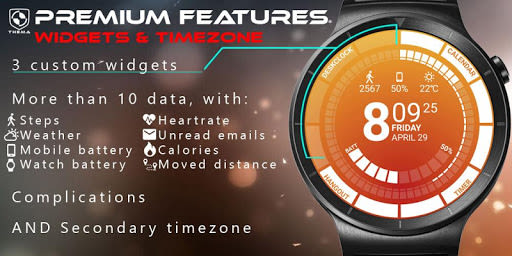
- Secondary timezone display
- Battery statuses for watch and mobile
- Weather updates
- Step count tracking
- Heartbeat frequency monitoring
- Notifications for SMS, Email, and calls
- Presets and Complications support
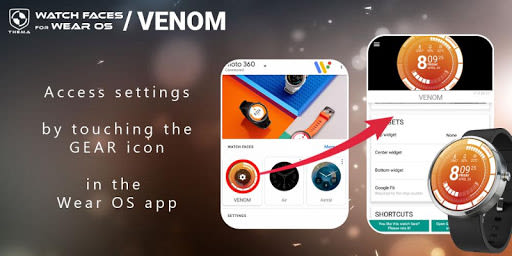
The settings for Venom Watch Face can be easily accessed through the "Wear OS" app on your mobile device. Customize your watch face effortlessly by tapping the gear icon on the preview.
Free Settings Include
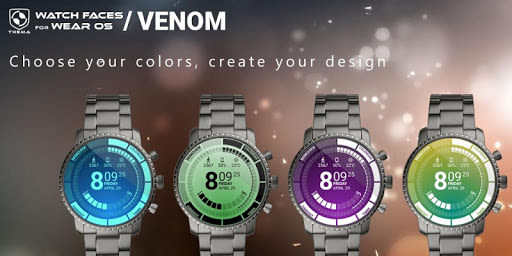
- Design color selection
- Heartbeat frequency and weather refresh rates
- Display preferences and interactive mode options
- Choice of weather provider and time format
- Brand name display settings
Premium Settings Offer
- Personalized title display
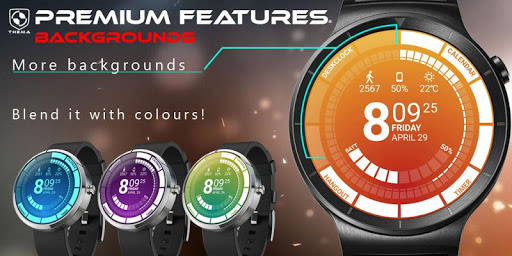
- Ambient mode styles and background blending
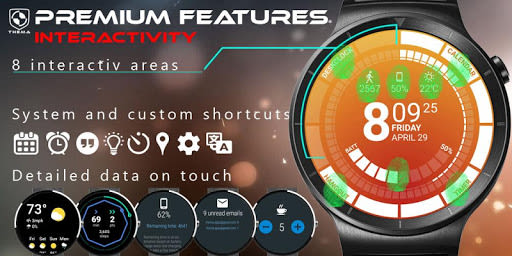
- Advanced data and interactivity features
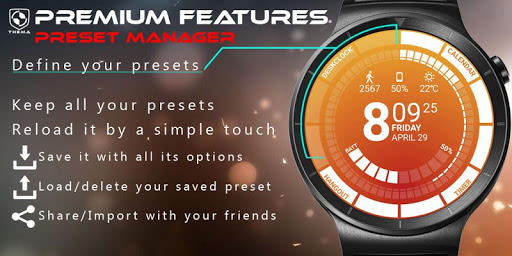
- Presets manager for saving and sharing custom configurations
- Manual or automatic location setting
Installation Instructions
For Wear OS 1.X: The watch face will install automatically from your paired phone. If not, go to Wear OS App > Settings and Resync all apps.
For Wear OS 2.X: A notification will prompt installation on your watch after installing the mobile app. Alternatively, find and install it from the Google Play Store on your watch.
For Mobile Clock Widget: Long-press on your launcher to add the widget to your home screen.
Explore more watch faces for Wear OS by visiting our collection on the Play Store.
Contact Us
For any inquiries or assistance, feel free to reach out via email (English or French) before leaving feedback. Connect with us on social media:
- Website: themaapps.com
- YouTube: Thomas Hemetri
- Twitter: Thomas Hemetri
- Google+: +ThomasHemetri
- Instagram: thema_watchfaces
Enhance your Wear OS experience with Venom Watch Face – your personalized timepiece on the go. Opt for style and functionality today!
Screenshots
Similar

Analog Classic Watch Messa 100
Messa Watch

Color Phone - Nice Call Screen
Govo Tech by Volio

Arabic Wallpapers
Mahmoud Zadah

Concentric - Pixel Watch Face
WatchFace-Designs

Clean Digital
JH Watchfaces

Yoshion - Pic Collage Maker
Joseph Jenny

Minimal Basic 2 English
OQ Watchfaces

Beautiful wallpapers
Applications from a duck

Wear OS Watch Neon Shatte
GeorgKing

RE 03 - Digital Watch Face
RECREATIVE ® Watch Faces

Anime World Wallpapers
N.E.O.N STUDIO

Launcher iOS 16
LuuTinh