
Thermo Watch Face by HuskyDEV
4.10
-

Language
English
-

OS
Android
-

Developer
HuskyDev
-

#Version
1.06
App Description
Discover Thermo Watch Face: The Ultimate Android Wear Companion
Thermo Watch Face is your go-to app for enhancing your Android Wear experience, fully compatible with Android Wear 2.0 and all Android Wear watches. Elevate your smartwatch's functionality with a range of innovative features designed to streamline your daily activities and keep you informed at a glance.
Key Features
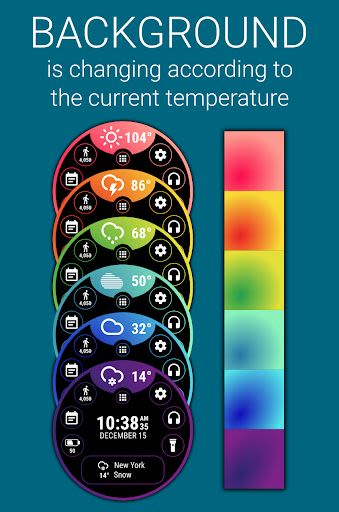
- Show background gradient color based on current temperature
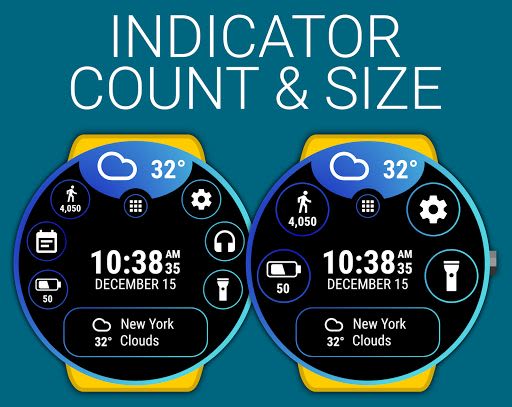
- Large text complications displayed in the bottom elongated circle indicator
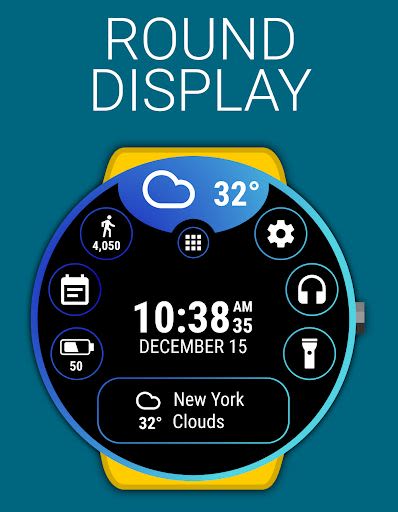
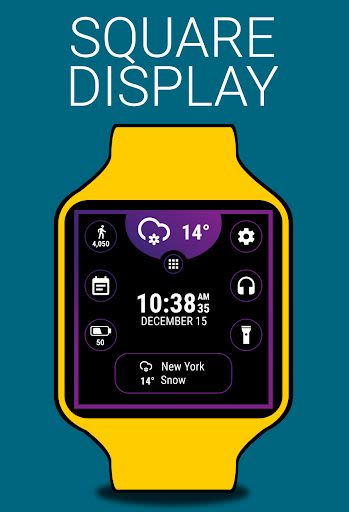
- Display current weather icon and temperature at the top of the watch face
- Integrate Google Fit data, Battery details, Custom launcher, and more
Benefits
- Seamless integration with Android Wear 2.0
- External complication support, including large text
- Standalone functionality with iPhone compatibility
- Customizable indicators and shortcut options for quick access
- Simplified navigation for launching programs, adjusting brightness, and controlling music playback
Why Choose This App
Thermo Watch Face offers a user-friendly interface with both FREE and PREMIUM versions, catering to diverse user needs.
FREE Version Includes
- Own launcher for personalized customization
- Remote music control for on-the-go convenience
- Weather forecast for the current day
- Detailed insights into watch and phone battery levels
- Google Fit data tracking for daily activity monitoring
PREMIUM Version Includes
- Enhanced features of the FREE version
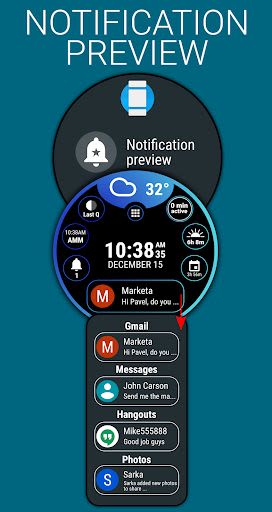
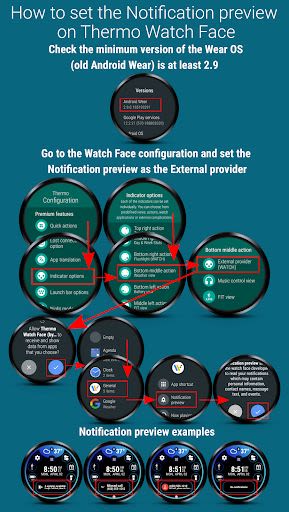
- Multiple indicator options with notification preview
- Multilingual support with over 15 language translations
- Customizable color combinations and indicator settings
- Extended weather forecasts and Google Fit data insights
- Advanced battery indicator options and update intervals
Technical Details
- Time and date format synchronization with phone settings (12/24)
- Touch feedback customization for enhanced usability
- Configurable temperature and wind speed units
- Regular weather updates and provider selection options
Troubleshooting
If you encounter synchronization issues:
- Uninstall the app from your phone
- Disconnect and restart your watch
- Reconnect your watch and phone
- Reinstall Thermo Watch Face for seamless functionality
Enhance your Android Wear experience with Thermo Watch Face – download now and unlock a world of convenience and customization!
Screenshots
Similar

Analog Classic Watch Messa 100
Messa Watch

Color Phone - Nice Call Screen
Govo Tech by Volio

Arabic Wallpapers
Mahmoud Zadah

Concentric - Pixel Watch Face
WatchFace-Designs

Clean Digital
JH Watchfaces

Yoshion - Pic Collage Maker
Joseph Jenny

Minimal Basic 2 English
OQ Watchfaces

Beautiful wallpapers
Applications from a duck

Wear OS Watch Neon Shatte
GeorgKing

RE 03 - Digital Watch Face
RECREATIVE ® Watch Faces

Anime World Wallpapers
N.E.O.N STUDIO

Launcher iOS 16
LuuTinh