

Safe Lagoon Parental Control
4.00
-

Language
English
-

Developer
Quadro Consulting
-

#Version
4.4.325-r
App Description
Safe Lagoon: Your Ultimate Online Family Protection Solution
Safe Lagoon offers comprehensive online protection for families, empowering parents to safeguard their children's digital experiences while managing their Android devices remotely. Ensuring peace of mind for the entire family has never been simpler.
Key Features:
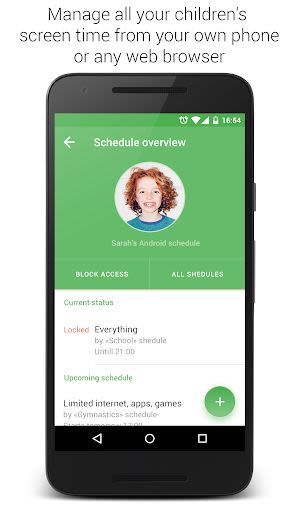
- Real-time Remote Management: Stay in control from anywhere.
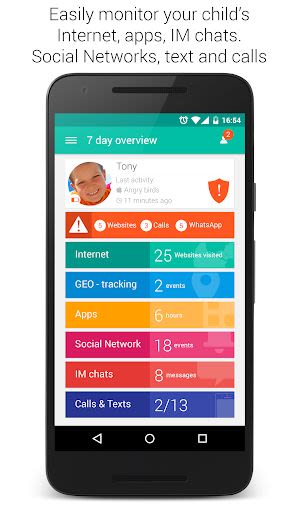
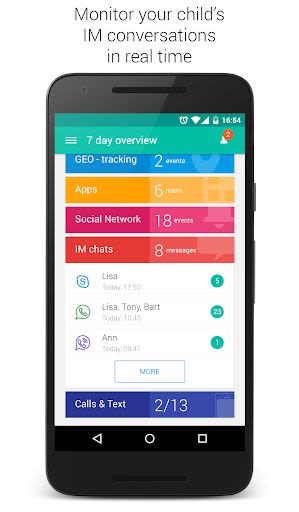
- Instant Messaging Monitoring: Track WhatsApp, Skype, Viber, Facebook chats.
- Social Network Activity Viewing: Keep an eye on Instagram, VK interactions.
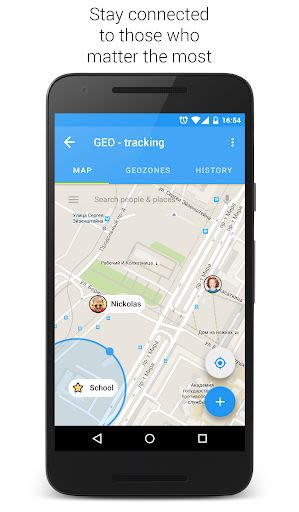
- Family GPS Tracking: Locate your child on a map.
- Virtual Fences: Receive alerts when your child enters or leaves designated areas.
- Web and Search Monitoring: Know what your child views online.
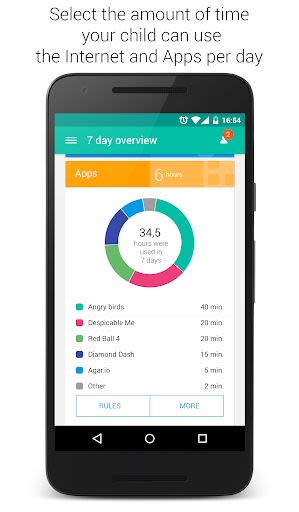
- App and Game Locking/Blocking: Manage screen time effectively.
- Call and SMS Monitoring: Get alerts for stranger contacts.
- Healthy Time Limits: Set boundaries for app and internet usage.
- Safe Browsing: Block dangerous websites.
Benefits:
- Peace of Mind: Ensure your child's safety and well-being online.
- Effortless Monitoring: Track your child's activities with ease.
- Improved Time Management: Regulate screen time and app usage effectively.
- Instant Alerts: Stay informed about any suspicious online behavior.
- Easy Remote Control: Manage settings conveniently from your device.
Why Choose Safe Lagoon:
- Comprehensive Protection: Monitor chat activity, screen time, app usage, and location.
- User-Friendly Interface: Easy setup and configuration for quick implementation.
- Regular Reports: Receive text alerts and email reports for critical events.
- Social Media Safety: Monitor and safeguard social networking interactions.
- Healthy Screen Time: Set limits and schedules for a balanced online experience.
How to Get Started:
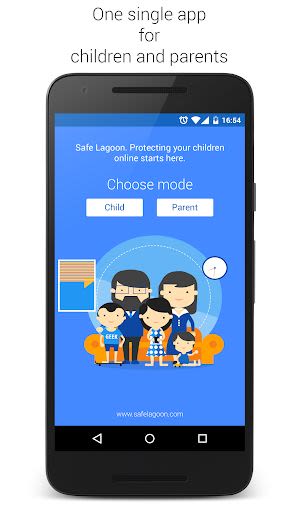
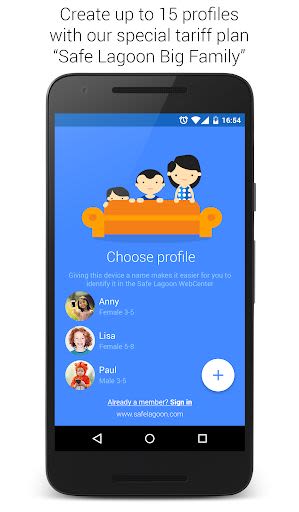
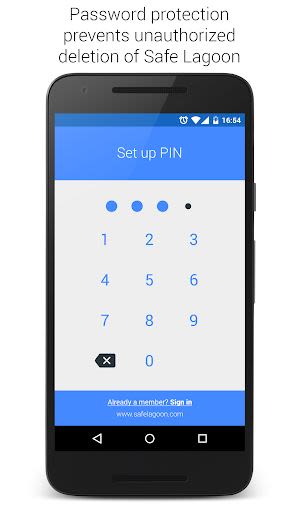
- Install Safe Lagoon on your child's device and create your account.
- Activate Parent App Mode on your device or log in online to manage your child's activity and set rules.
- Expand Protection: Install Safe Lagoon on all family devices for comprehensive coverage.
Safe Lagoon is compatible with all Android devices and operates seamlessly anytime, anywhere. For further details, visit Safe Lagoon.
Like us on Facebook and follow us on Twitter for updates.
🌟 Try Safe Lagoon for free today! After the trial period, continue with Safe Lagoon Plus via an annual subscription here.
For assistance, reach out to us at [email protected]. Your feedback is valuable to us; contact us through our website's contact page for prompt support.
Screenshots
Videos
Similar

Bedtime Stories for your Kids
Simka

Parents
All About Parenting

Sleepy Baby - White Noise
Fabrikod

Sleep Nanny: Baby Monitor Pro
Smart Sensor Lab

Easy Baby Photo Editor
dotori304

SPORT iD the Player Safety app
SPORT iD

Baby Shopping Checklist (Upgraded!)
BeantownLoner

Christian Hypnobirthing
Christian Hypnobirthing Ltd

theAsianparent: Track Pregnancy & Count Baby Kicks
theAsianparent - largest pregnancy & parenting app

Nara Baby Tracker
Nara Organics

Solid Starts: Introducing Real Food to Babies
Solid Starts

Ovulation Calendar & Fertility
Arbor Ltd