
Evander Watch Face
3.40
-

Language
English
-

OS
Android
-

Developer
RichFace
-

#Version
1.0.15
App Description
Discover Evander Watch Face - Your Ultimate Wear OS Companion
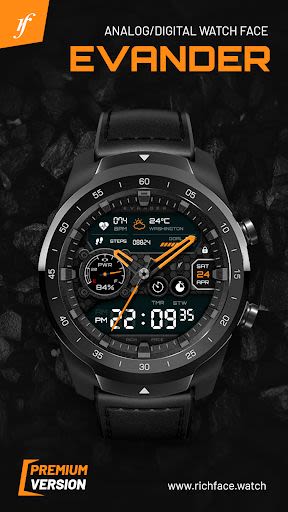
Evander Watch Face is your go-to directory listing app for Wear OS 2.0, offering a plethora of digital interactive functions to enhance your smartwatch experience. Whether you seek customization options, data tracking, or premium features, Evander has you covered.
Key Features:
- Digital Interactive Functions: Enjoy 3 customizable tap targets for quick access to battery level, FIT data, weather updates, and more.
- Comprehensive Settings: Seamlessly adjust settings on both your watch and the companion phone app.
- External Complication Support: Harness the power of Wear OS 2.0's external complication feature for enhanced functionality.
- Free & Premium Features: Unlock a range of premium features for advanced customization options.
Benefits:
- User-Friendly Interface: Easily navigate settings and customize your watch face.
- Compatibility: Fully standalone and compatible with both iPhone and Android devices.
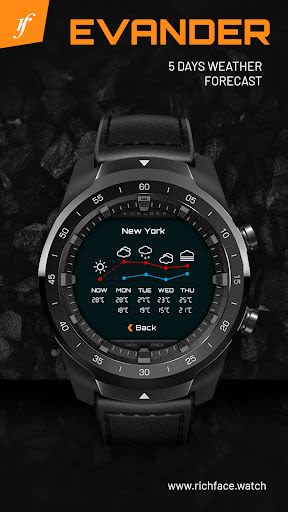
- Data Integration: Access external complication data for indicators, Google FIT integration, and weather settings.
- Built-In Complications: Monitor weather, battery levels, fitness data, and more directly on your watch face.
Why Choose Evander Watch Face:
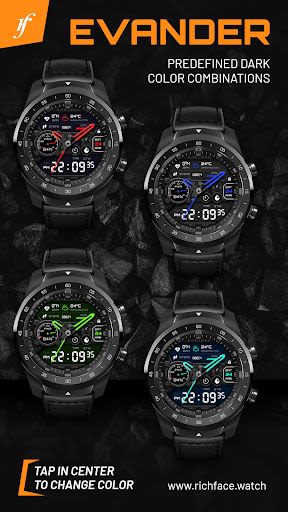
- Extensive Customization: Change color schemes, adjust formats, and enable ambient mode for a personalized experience.
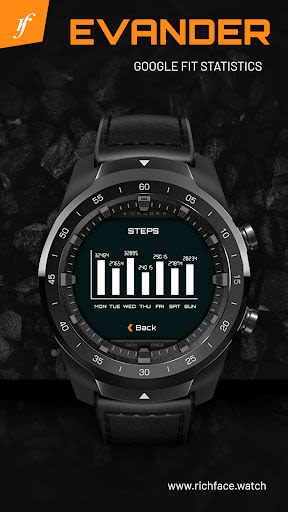
- Google FIT Integration: Sync your fitness data seamlessly with Google FIT integration.
- Premium Features: Elevate your smartwatch experience with features like hourly vibration alerts and detailed fitness tracking.
Compatibility:
- Android Wear Watches: Compatible with all Android Wear watches for a seamless user experience.
How to Install:
- On Your Wear OS 2.0 Device: Download from the Google Play Wear Store.
- Companion App: Install the companion app on your Android phone for complete customization options.
FAQ:
Have questions or issues? Contact us at [email protected]
- Troubleshooting: Connect to Google Fit via the phone companion app to view fitness data.
- Permissions: Learn more about app permissions here.
Enhance your Wear OS experience with Evander Watch Face. Elevate your smartwatch's functionality and style today!
Screenshots
Similar

Analog Classic Watch Messa 100
Messa Watch

Color Phone - Nice Call Screen
Govo Tech by Volio

Arabic Wallpapers
Mahmoud Zadah

Concentric - Pixel Watch Face
WatchFace-Designs

Clean Digital
JH Watchfaces

Yoshion - Pic Collage Maker
Joseph Jenny

Minimal Basic 2 English
OQ Watchfaces

Beautiful wallpapers
Applications from a duck

Wear OS Watch Neon Shatte
GeorgKing

RE 03 - Digital Watch Face
RECREATIVE ® Watch Faces

Anime World Wallpapers
N.E.O.N STUDIO

Launcher iOS 16
LuuTinh