

Lightroom: Photo Editor
4.50
-

Idioma
English
-

OS
Android
-

Developer
Adobe
-

#Versión
7.3.0
Descripción de la Aplicación
Discover and Enhance Your Photography with Adobe Photoshop Lightroom
Adobe Photoshop Lightroom is a revolutionary directory listing app that combines a powerful photo editor and camera tool to elevate your photography skills. Whether you're a beginner or a seasoned photographer, Lightroom empowers you to capture and edit breathtaking images effortlessly.
Key Features:
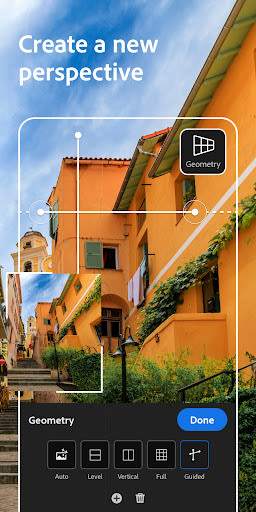
- Easy Image Editing: Utilize intuitive sliders and filters to effortlessly retouch full-resolution photos and apply stunning filters.
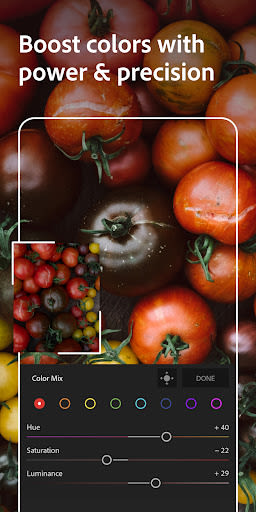
- Editing Anywhere: Transform raw photos on-the-go with advanced editing tools for light, color, filters, and presets.
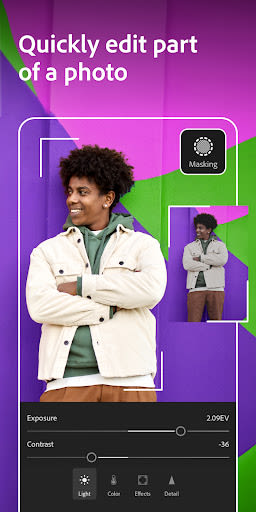
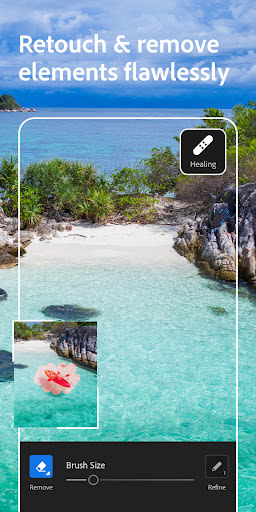
- Fine Details Editing: Refine your photos with the Healing Brush, masks, automatic selection, color grading, and personalized watermarks.
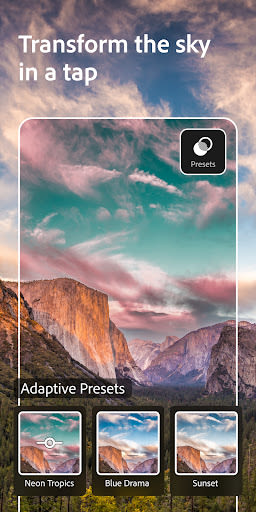
- Lightroom Presets: Speed up editing with 150+ hand-crafted presets and AI-recommended presets for professional results.
- Pro Camera Controls: Unlock your photography potential with unique camera features like exposure control, raw capture, and more.
- Smart Photo Organization: Utilize Adobe Sensei AI to tag and organize photos based on content, ratings, and flags.
- Advanced Photo Sharing: Share photos in Group Albums, discover other photographers' work, and get inspired by community presets.
- Adobe Creative Cloud Storage: Store full-resolution shots securely in the cloud with automatic keyword tagging for easy organization.
Benefits:
- Simplify photo editing with guided tutorials and presets.
- Access your edits seamlessly across devices.
- Collaborate with other creatives and showcase your work online.
- Backup originals and edits securely with cloud storage.
Why Choose This App:
- Intuitive interface for effortless editing.
- Powerful camera controls for professional results.
- Seamless synchronization across devices.
- Access to a vibrant community of photographers for inspiration and collaboration.
Compatibility:
- Compatible with devices such as Samsung S7, S7 Edge, S8, S8+, Note 8, Google Pixel, Pixel XL, Pixel 2, Pixel 2 XL, Pixel 3, Pixel 3 XL, and OnePlus 5.
Technical Information:
- Terms & Conditions: Adobe General Terms of Use and Adobe Privacy Policy
- Do Not Sell My Personal Information: CA Rights
Unleash your creativity, streamline your editing process, and showcase your photography skills with Adobe Photoshop Lightroom. Elevate your photos to new heights – download now!
Capturas de pantalla



Videos
Similar

Becoco: Selfie Camera & Editor
changpeng

Time Warp Scan - Face Scanner
Voice Text
Time Warp Scan: Face Scanner
9appstech

PhotoFix: Enhance Photo Editor
vyro.ai

Time Warp Scan - Face Scan
Photo Collage & Grid - Foto Grid

Cartoon Face: AI Photo Editor
Photo Editor Perfect Corp.

Happy New Year Photo Frame2023
Appwallet Technologies

Photo frame, Photo collage
lsla smart tool

Fantasy - AI Art Generator
NFT Art Marker Studio

Cartoon Yourself, Toon Face
TikiP Studio

Foto Grid: Photo Collage &Grid
HARDSTONE PTE. LTD

Beauty Camera X - Selfie Camera, Photo Editor
Beauty Apps Studio