
SMB plugin for Ghost Commander
4.40
-

Idioma
English
-

Developer
Ghost Squared
-

#Versión
1.32
Descripción de la Aplicación
Discover Windows Networks with Ghost Commander Plugin
Are you looking to seamlessly access Windows network shared folders from your mobile device? Look no further than the Ghost Commander file manager plug-in specifically designed for this purpose. Whether you refer to it as SMB, Samba, CIFS, or NetBios, this plugin ensures hassle-free connectivity.
How to Get Started
Before diving in, ensure you have the Ghost Commander application installed. Once ready, follow these simple steps:
- Launch Ghost Commander.
- Navigate to
Menu > Location > Home > Windows share. - Alternatively, scroll through the toolbar to reach 'Home' and tap it.
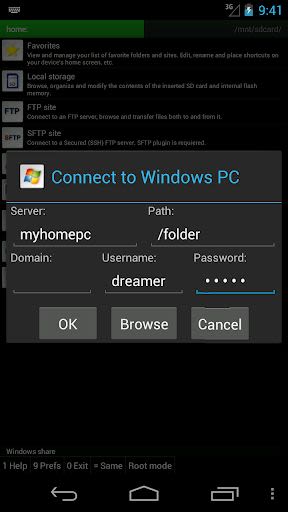
- Enter your server name and credentials (if required).
- Tap 'Connect' and voila!
Key Features:
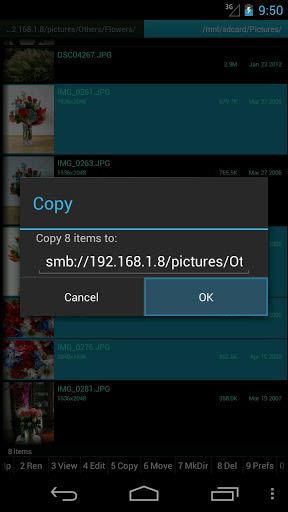
- Access Windows network shared folders effortlessly.
- Seamless integration with Ghost Commander file manager.
- Simple setup process for quick connectivity.
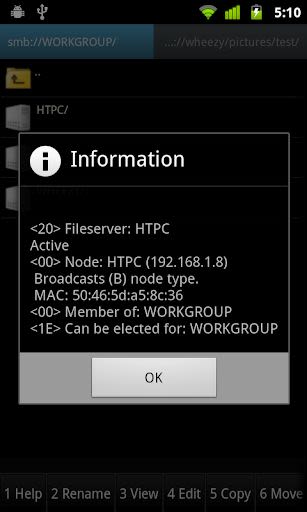
- View a list of Windows machines or Samba servers on your network.
Benefits:
- Enhanced accessibility to Windows networks.
- Streamlined file management on the go.
- Secure connections with server credentials.
- User-friendly interface for smooth navigation.
Why Choose This Plugin:
- Efficiently browse and manage Windows shared folders.
- Enjoy a seamless and secure connection experience.
- Simplify your file management tasks with ease.
Important Tip:
For optimal performance, ensure your Windows account has a password. A passwordless account may not function correctly.
Visit our website for additional details or reach out to the developer via email for any queries. Enhance your mobile file management experience today with the Ghost Commander Plugin!
Capturas de pantalla
Similar

Practise Test USA & Road Signs
divApp

Noel Jones Ministries / C.O.R.
Subsplash Consulting

Lottie
Airbnb, Inc

Easy to read KJV Bible
Bible Free

Quran Pro Muslim: MP3 Audio offline & Read Tafsir
Quanticapps

Libraries for developers
Desarrollo Droide

MaterialX - Android Material Design UI
Dream Space

Biblia de estudio
KJV Bible free

MiX PDF
PishroDevs

Chakra Activation : Music & Solfeggio
Self Healing

Chakra Cleaning
Self Healing

SYMA GO+
SYMA