
BlueDriver OBD2 Scan Tool
4.60
-

Idioma
English
-

OS
iOS, Android
-

Developer
Lemur Vehicle Monitors
-

#Versión
7.14.5
Descripción de la Aplicación
BlueDriver®: Your Ultimate Diagnostic OBD2 Scan Tool
Are you ready to take control of your vehicle's health like never before? BlueDriver® is the go-to choice for professional mechanics, auto enthusiasts, and everyday vehicle owners seeking unparalleled insights into their vehicle's performance and maintenance needs.
Key Features:
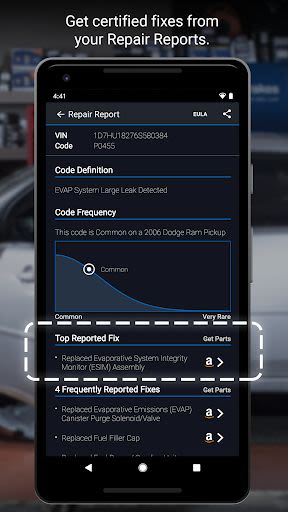
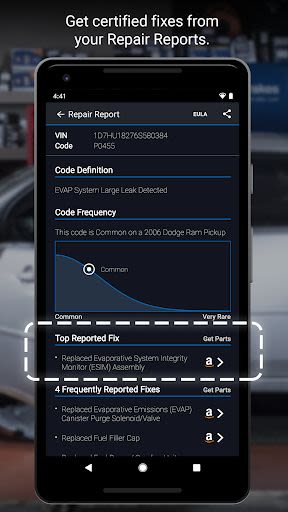
- Generate, Print, and Share Repair Reports: Get detailed insights into your vehicle's issues.
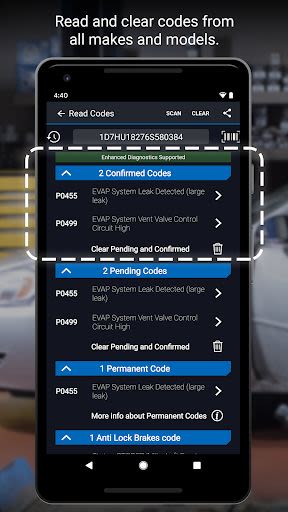
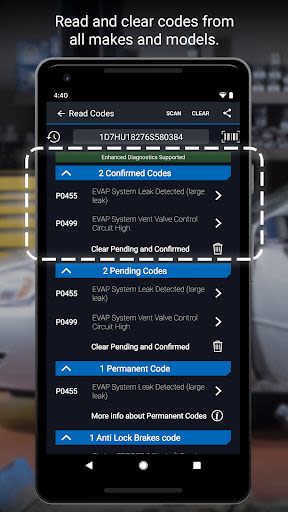
- Scan For Trouble Codes: Easily pinpoint potential problems.
- Clear Trouble Codes: Stay ahead by resolving issues promptly.
- Enhanced Diagnostics: Dive deep into systems like ABS, Airbag, and Transmission.
- Wide Compatibility: Works with a vast range of car models globally.
- Mode 6 On-Board Monitoring Test Results: Monitor your vehicle's performance.
- Smog Readiness Check: Ensure your vehicle meets emission standards.
- Freeze Frame Data: Capture critical vehicle data at the time of an issue.
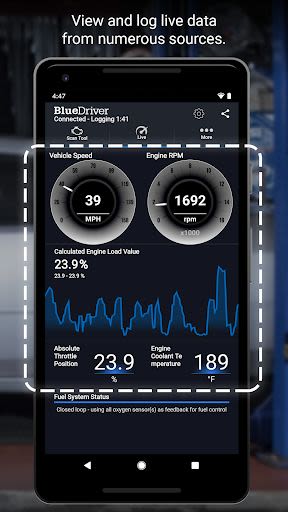
- Interactive Graphing and Logging: Visualize data for better understanding.
- Wireless Communication: Say goodbye to tangled wires.
- Metric and Imperial Settings: Customize to your preference.
Benefits:
- Access over 30 million Reported Fixes for Trouble Codes.
- Receive validated fixes tailored to your vehicle.
- Save time and prioritize repairs efficiently.
- Global vehicle compatibility for worldwide use.
Why Choose BlueDriver:
- Professional-grade diagnostic tool.
- Free app installation with purchase of BlueDriver Bluetooth® OBD2 Sensor.
- Easy connection via the data port in your car.
- Thousands of satisfied users and fans worldwide.
BlueDriver Repair Report Information:
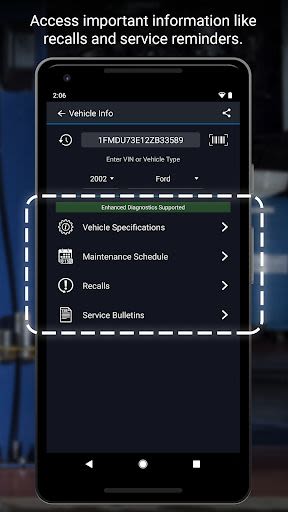
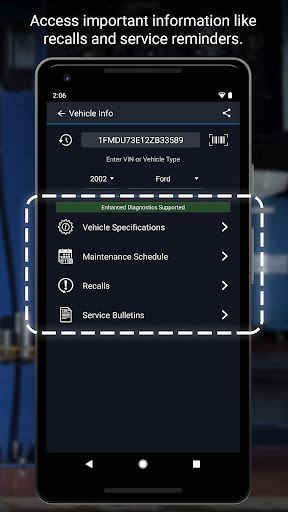
The BlueDriver Repair Database offers expert fixes for Trouble Codes, categorized as Top Reported Fixes, Frequently Reported Fixes, and Other Reported Fixes. Receive specific solutions tailored to your vehicle's year, make, and model, going beyond mere code definitions to provide actionable repair advice.
Important Information:
BlueDriver requires the purchase of the BlueDriver Bluetooth® OBD2 Sensor for seamless communication with your vehicle. The Sensor is available for purchase via the app or at www.BlueDriver.com. However, Repair Reports can be generated without the Sensor by entering the VIN and Trouble Code within the app.
Experience the convenience and power of BlueDriver today. Join our community of satisfied users and stay connected with us on Facebook and Twitter for the latest updates and insights.
Capturas de pantalla
Videos
Similar

Matrículas España
MP_

Motos.net - Motos de Ocasión
motos.net

Autos Motos
DEVELOPMENT IT S.L.U

Tango electric
Kuwait Petroleum Group

viaBOVAG.nl: Vind je Voertuig
viaBOVAG.nl

MECH.AI: Diagnostic & Repair
MECH.AI LLC

Whistle Express Car Wash
Whistle Express CarWash

Dynamic Drive
National General Insurance

10-4 by WEX
WEX, Inc.

7Charge
7-Eleven, Inc.

CarKey: Car Play & Digital Key
Phuket INC

Motor Trend
Motor Trend Group, LLC