

Kids Dashboard (Parental Control Kids Mode App)
4.80
-

Idioma
English
-

OS
Android
-

Developer
Tabnova
-

#Versión
73.8
Descripción de la Aplicación
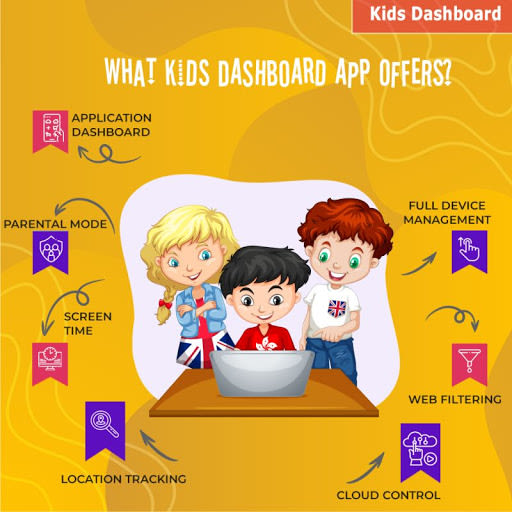
Kids Dashboard: The Ultimate Parental Control App
Welcome to Kids Dashboard, the all-in-one solution for transforming any mobile device into a secure kids mode platform without ads. Take control of your child's digital experience effortlessly while ensuring their safety and well-being.
Why Choose Kids Dashboard?
-
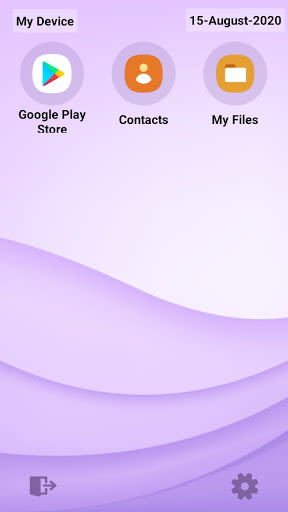
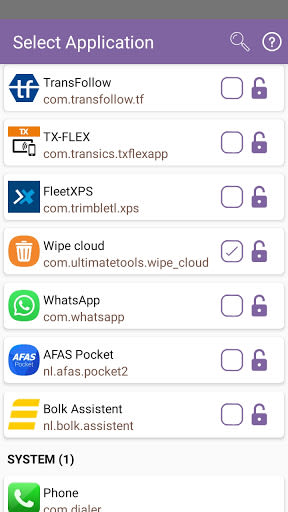
Application Lockdown/KIOSK
- Parents can handpick accessible applications for their children.
- Prevents access to the Play Store and restricts calls.
- Lockdown mode persists even after device reboots.
-
Screen Time Management
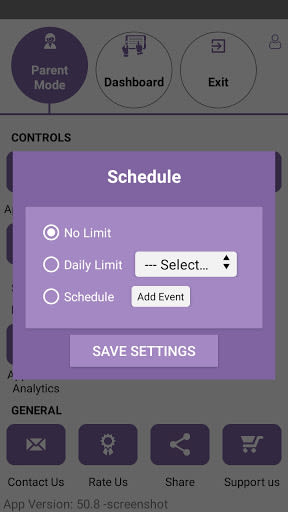
- Set daily usage limits with the option to extend time using a password.
- Schedule weekly usage and track remaining time with a countdown timer.
-
Simple One-Click Transformation
- Easily switch to kids mode by launching the Kinder safety app.
-
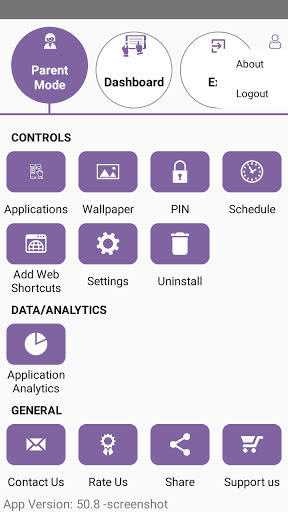
Analytics and AI
- Monitor per-app usage statistics with date filters.
-
Customization
- Personalize with custom wallpapers and text overlays.
- Display a clock and serial number on the screen.
- Customize icon backgrounds and dashboard settings.
-
Security & Protection
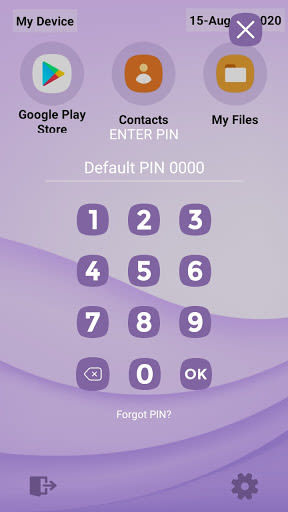
- Secure access with a password and quick entry through tapping the screen.
- Auto-hide password screen after inactivity for added security.
-
System Configuration
- Block access to Android settings and notifications.
- Export and import application settings for easy device resets.
-
Support
- Reach out via email for feedback, questions, or suggestions.
- Engage in live chat support on our website for prompt assistance.
Key Features
- Transform mobile devices into kid-friendly platforms.
- Restrict access to personal apps and settings.
- Monitor and control screen time effectively.
- Customize wallpapers, text, and screen elements.
- Ensure secure access with password protection.
- Block unwanted access to system settings.
- Export and import app settings for convenience.
Benefits
- Promote healthy digital habits in children.
- Enhance parental control and monitoring capabilities.
- Create a safer online environment for kids.
- Easy setup and one-click activation for kids mode.
- Secure access and protection against unauthorized usage.
Get Started with Kids Dashboard
Transform your parenting experience with Kids Dashboard today. Take charge of your child's digital well-being and enjoy peace of mind knowing they are safe and engaged in a controlled environment. Say goodbye to e-addiction worries and hello to responsible digital habits.
Compatibility: iOS, Android
Permissions: This app requires Device Administrator permission [android.permission.BIND_DEVICE_ADMIN]
For a seamless parental control solution, trust Kids Dashboard to safeguard your child's digital world. Empower yourself with the tools to monitor, manage, and protect your children online. Install Kids Dashboard now and redefine digital parenting.
Capturas de pantalla
Videos
Similar

Bedtime Stories for your Kids
Simka

Parents
All About Parenting

Sleepy Baby - White Noise
Fabrikod

Sleep Nanny: Baby Monitor Pro
Smart Sensor Lab

Easy Baby Photo Editor
dotori304

SPORT iD the Player Safety app
SPORT iD

Baby Shopping Checklist (Upgraded!)
BeantownLoner

Christian Hypnobirthing
Christian Hypnobirthing Ltd

theAsianparent: Track Pregnancy & Count Baby Kicks
theAsianparent - largest pregnancy & parenting app

Nara Baby Tracker
Nara Organics

Solid Starts: Introducing Real Food to Babies
Solid Starts

Ovulation Calendar & Fertility
Arbor Ltd