

Smart Measure
3.60
-

Idioma
English
-

OS
Android
-

Developer
Smart Tools co.
-

#Versión
1.7.8
Descripción de la Aplicación
Smart Measure: Your Ultimate Rangefinder Companion
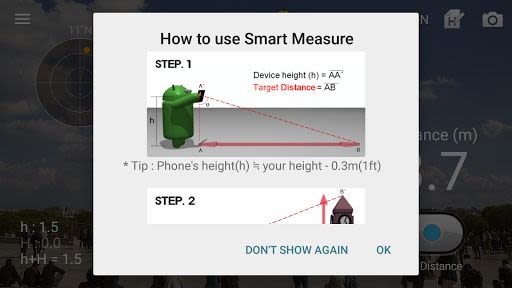
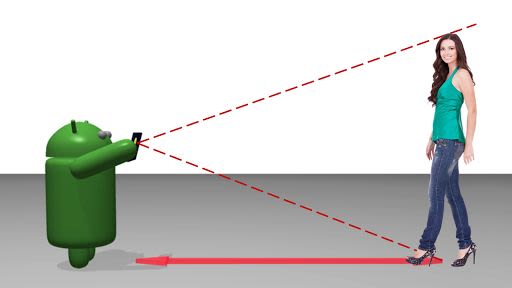
Smart Measure is a standout tool within the renowned Smart Tools collection, designed to make distance and height measurements a breeze using advanced trigonometry techniques. Whether you're a DIY enthusiast, an outdoor adventurer, or a professional in need of precise measurements, this app is your go-to solution.
How It Works
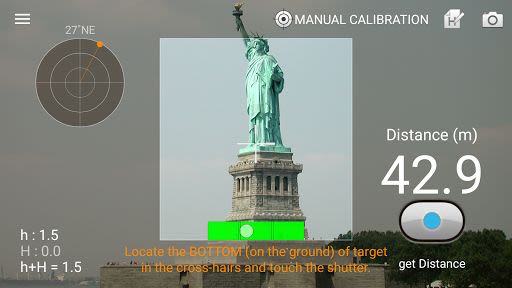
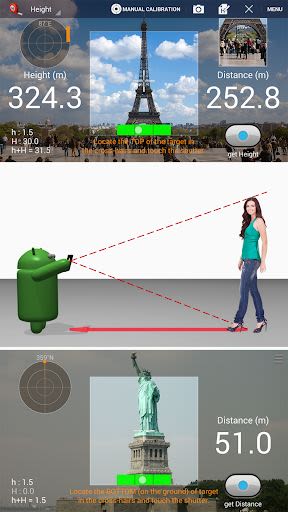
- Simply stand up and press the shutter, ensuring your camera is aimed at the ground, not the target object.
- Measure distances accurately by targeting the ground near the object of interest.
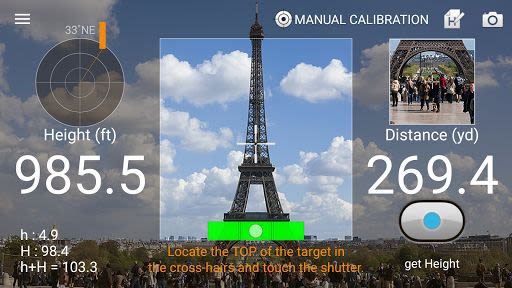
- Easily gauge the height of objects or individuals by pressing the dedicated height button.
Key Features
- Switch between Meter and Feet measurements effortlessly.
- Utilize the Virtual Horizon for enhanced accuracy.
- Capture your screen for reference.
- Customize sound effects with the option to toggle them on or off.
- Enjoy a sleek Material design for a modern user experience.
Pro Version Enhancements
- Ad-free experience for uninterrupted measurements.
- Unlock additional features such as Width and Area calculations.
- Access Portrait mode for versatile usage.
- Utilize Camera Zoom for detailed measurements.
Three Essential Tools Included
- Smart Ruler: Ideal for short distances (1-50cm).
- Smart Measure: Perfect for medium-range measurements (1-50m).
- Smart Distance: For long-distance calculations (10m-1km).
Compatibility
- Compatible with both iOS and Android devices.
- Additional tools available in the [Smart Measure Pro] and [Smart Tools] package.
Why Choose This App
- Simplify your measurement tasks with intuitive controls.
- Benefit from precise results for various applications.
- Enhance your toolkit with a range of measurement options.
Calibrate and Customize
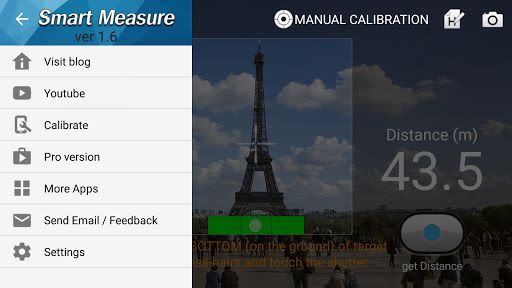
- Calibrate the app to your preferences using the calibration menu.
- Explore more customization options for tailored measurements.
For detailed instructions, calibration tips, and more tools, download Smart Measure Pro and the Smart Tools package. Visit our YouTube channel and blog for additional resources. Take your measurements to the next level with Smart Measure – download now!
Thank you for choosing Smart Measure to elevate your measurement experience.
Capturas de pantalla

Videos
Similar

Windows 11
Microsoft

Wear Flashlight
CodVerter

Grok
xAI

Cleaner Antivirus VPN Cleaner
Cleaner + Antivirus + VPN company

owoTrack
Finoki

تەختەکلیلی کوردی | Kurdish Keyboard
Goran Gharib

Icon Torch - Flashlight
Aleksandr Balaev

Secure VPN
Dream limited

VPN Proxy Master - Secure VPN
Share File Technologies by 090 Bravo

Give VPN
Speed Group dev

Super Antivirus - Clean Virus
SUPER ANTIVIRUS

Fly Browser-Search & Private
Readerland