
Apk Share Bluetooth - Send/Backup/Uninstall/Manage
4.40
-

Kieli
English
-

OS
Android
-

Developer
Lucky
-

#Versio
3.7.2
Sovelluksen kuvaus
✨ Apk Share Bluetooth - Your Ultimate App Manager ✨
Welcome to Apk Share Bluetooth, the all-in-one app manager designed to streamline the way you Share, Uninstall, Backup, and Manage your apps. With a user-friendly interface and a range of convenient features, this app is your go-to solution for all things related to managing your Android applications.
Key Features:
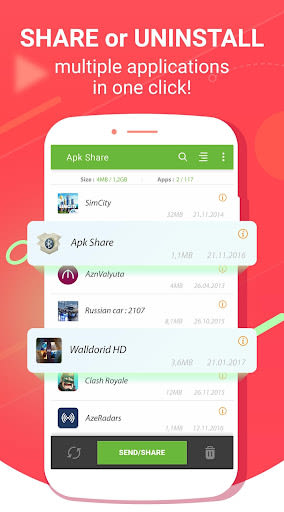
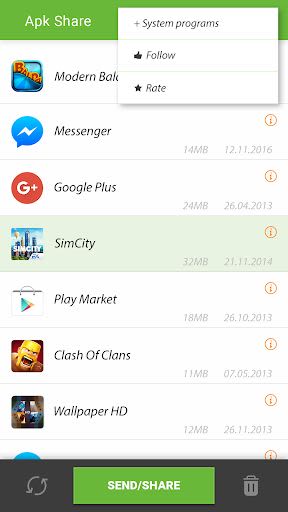
- Apk Sharer: Seamlessly send apk files or play store links via various mediums, including Bluetooth, Whatsapp, Email, NFC, and more.
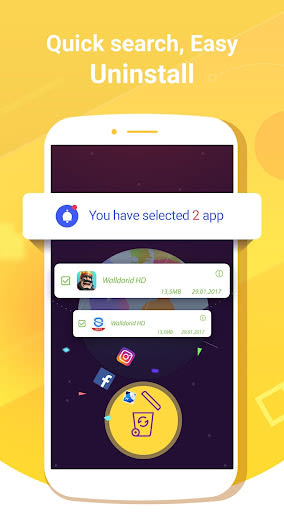
- Easy Uninstaller: Quickly find and uninstall recently installed or large applications in just one click. Manage system apps effortlessly (root permissions not required).
- App Backup: Effortlessly back up multiple apps to your SD card, freeing up valuable storage space on your device.
Benefits:
- Share apps effortlessly using multiple channels.
- Uninstall and manage apps with ease, even without root permissions.
- Backup your apps conveniently to avoid data loss.
- Enjoy a sweet and highly usable interface for a seamless user experience.
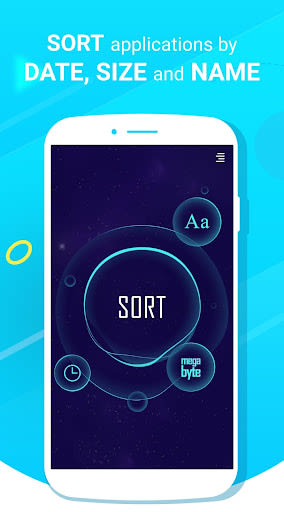
- Save time with quick sorting options by name, install date, or size.
Why Choose This App:
- Intuitive interface for easy navigation.
- Quick access to essential app management functions.
- Detailed app information at your fingertips.
- Efficient system app management without the need for root permissions.
Technical Information:
- Compatibility: Android devices with Bluetooth, Email, NFC support.
- Permissions: Requires WRITE_EXTERNAL_STORAGE permission for backing up apps to SD card.
Call to Action:
Download Apk Share Bluetooth now to simplify your app management tasks and optimize your Android experience!
FAQ:
-
Why can't I see some apps on the list?
For system apps, check the "Show System Apps" option in the menu. -
Can I Share Apk with non-Android devices?
Yes, as long as the non-Android devices support Bluetooth, email, or similar methods. -
Do both parties need the app to share Apk files?
No, only the sender requires the app. -
How can I backup all apps to the SD card?
Simply select all apps from the menu and click "Backup." -
How do I find larger applications or recent installs?
Utilize the Sort By Size or Sort By Date functions for quick access. -
Can I uninstall system apps?
While system apps cannot be uninstalled, downloaded apps can be easily removed using the app uninstaller.
Stay connected with us on Facebook for the latest updates and tips!
Experience the convenience and efficiency of Apk Share Bluetooth today. Let us simplify your app management tasks and enhance your mobile experience!
Kuvakaappaukset
Similar

All Document Reader 2023
FunGear inc

QR Code Scanner for Android: QR Reader, QR Creator
Taymay - Simple & Effective.

ChatAI: AI Chatbot App
iKame Applications - Begamob Apps

App Lock - Applock Fingerprint
Trusted Tools

All Document Reader - One Read
Simple Design Ltd.

QR Scanner - Barcode Scanner
Leap Fitness Group

PDF Reader - PDF Viewer 2022
Simple Design Ltd.

FlyLadyPlus
FlyLadyPlus

BlackNote Notepad Notes
Notas Notepad

Free QR Code Reader & Barcode Scanner - QR Scanner
JonDev. Mobile

PDF Scanner APP - Scan to PDF
Simple Design Ltd.

Image to PDF Converter - JPG to PDF, PDF Maker
Simple Design Ltd.