

Google Slides
4.10
-

Lingua
English
-

OS
Android
-

Developer
Google LLC
-

#Versione
1.22.142.01.90
Descrizione dell'app
Discover, Create, and Collaborate with Google Slides Directory Listing App
Welcome to the Google Slides app, your ultimate tool for seamless presentation management on your Android device. Elevate your productivity and creativity with these powerful features:
-
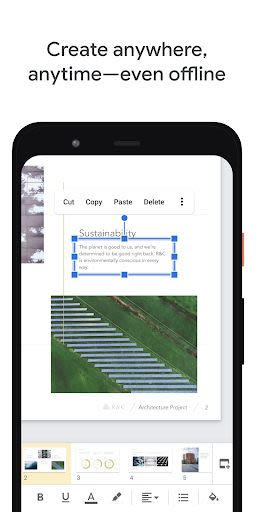
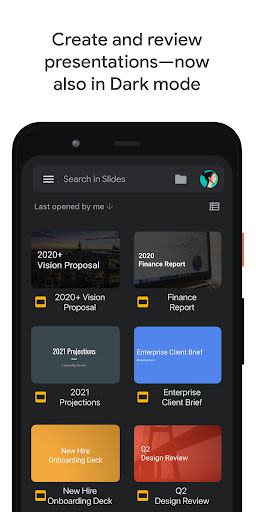
Create and Edit Presentations Effortlessly
- Initiate new presentations or refine existing ones with ease.
- Customize slides, format text and shapes, and more.
-
Real-time Collaboration
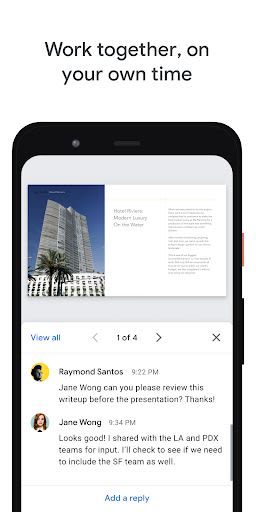
- Share and collaborate on presentations simultaneously with others.
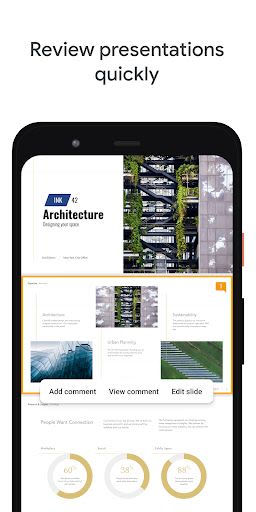
- Add and respond to comments in a collaborative environment.
-
Work Anywhere, Anytime
- Access your presentations from anywhere, even offline.
- Present directly from your mobile device for ultimate convenience.
-
Smart Suggestions and Automatic Saving
- Enjoy smart suggestions for beautiful slides.
- Your work is automatically saved as you type, ensuring peace of mind.
-
Enhanced Presentation Capabilities
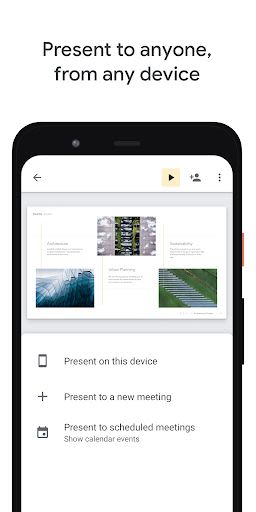
- Present slides directly to video calls for seamless communication.
- Instantly access scheduled meetings within the app.
Key Features
- Access and edit PowerPoint files effortlessly.
- Utilize templates, images, videos, and transitions to enhance presentations.
- Seamless cross-device compatibility for viewing and presenting slides.
Benefits
- Streamline collaboration with precise control over permissions.
- Expedite presentation creation with a wide range of multimedia options.
- Practice presentations on-the-go with mobile viewing capabilities.
Why Choose This App
Google Slides is a part of Google Workspace, empowering teams to communicate and collaborate effectively. Google Workspace subscribers unlock additional features tailored for seamless teamwork, including expanded collaboration options and enhanced presentation tools.
Join the community and follow us for more updates:
- Twitter: Google Workspace Twitter
- LinkedIn: Google Workspace LinkedIn
- Facebook: Google Workspace Facebook
Permissions Notice
For enhanced functionality, Google Slides may require access to certain device features:
- Calendar: For seamless integration with video calls.
- Camera: To enable camera mode in video calls and image insertion.
- Contacts: For streamlined sharing and collaboration suggestions.
- Microphone: For audio transmission in video calls.
- Storage: For image insertion and file access from external storage.
Unleash your presentation potential with Google Slides – download now and make every presentation impactful! Explore more about Google Workspace here.
Screenshot
Video
Similar

All Document Reader 2023
FunGear inc

QR Code Scanner for Android: QR Reader, QR Creator
Taymay - Simple & Effective.

ChatAI: AI Chatbot App
iKame Applications - Begamob Apps

App Lock - Applock Fingerprint
Trusted Tools

All Document Reader - One Read
Simple Design Ltd.

QR Scanner - Barcode Scanner
Leap Fitness Group

PDF Reader - PDF Viewer 2022
Simple Design Ltd.

FlyLadyPlus
FlyLadyPlus

BlackNote Notepad Notes
Notas Notepad

Free QR Code Reader & Barcode Scanner - QR Scanner
JonDev. Mobile

PDF Scanner APP - Scan to PDF
Simple Design Ltd.

Image to PDF Converter - JPG to PDF, PDF Maker
Simple Design Ltd.