

Huion Sketch - Draw & Paint
4.30
-

Lingua
English
-

OS
Android
-

Developer
Huion
-

#Versione
V3.3.1
Descrizione dell'app
Discover Huion Sketch 3.0: Your Ultimate Drawing Companion
Huion Sketch is not just an ordinary drawing and painting app—it's a complete pocket art studio designed to empower artists with professional tools in a user-friendly interface. Whether you're into sketching, painting, or illustrating, this free app caters to all your artistic needs.
Why Choose Huion Sketch?
- Cursor Support for Samsung Smartphones: Enhance your drawing experience on tablet devices with Samsung smartphones by enabling cursor support in the "Sketching setting."
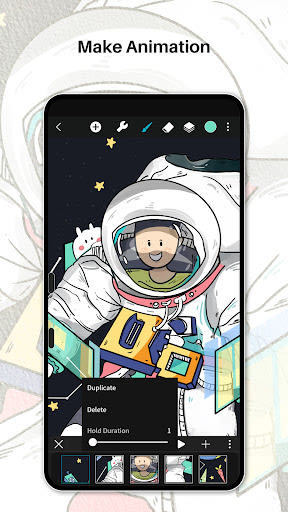
- Animate & Make Animation: Unleash your inner animator with the "Create Animation" feature, allowing you to export your artwork as GIFs to share on various platforms like Instagram, TikTok, YouTube, and Facebook.
- Light User Interface: Enjoy a clutter-free workspace with quick sliders for adjusting brush thickness and opacity, along with a brand new dark UI interface for a sleek and powerful workflow.
Key Features
-
Brushes Features:
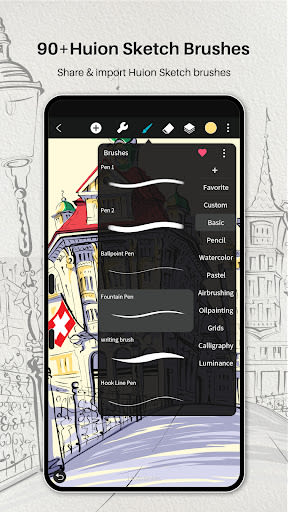
- Access 41+ common and delicate brushes tailored for various art styles.
- Customize 37 brush settings to achieve the desired drawing effects.
- Design your own custom brushes with Brush Studio.
-
Color Features:
- Utilize the Eyedropper tool to pick the perfect color.
- Benefit from tools like Paint Bucket, Previous Color, and Color Palette for efficient color selection.
-
Layer Features:
- Manage up to 100 layers efficiently with over 20 layer blend modes.
- Enjoy multiple layer parameters for industry-grade composition.
-
Other Important Painting Tools:
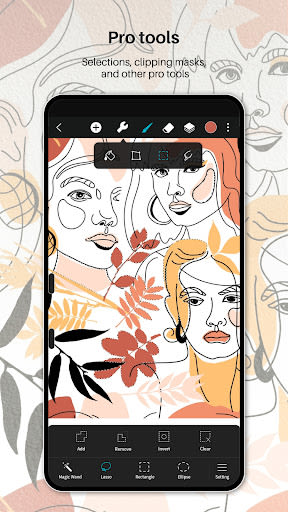
- Use Stabilizer for smooth strokes, insert shapes, and flip canvas for symmetry and visual guides.
- Apply Gaussian filters, HSB, RGB adjustments, and Sketch filters for dramatic finishing effects.
-
Multi-touch Gestures Features:
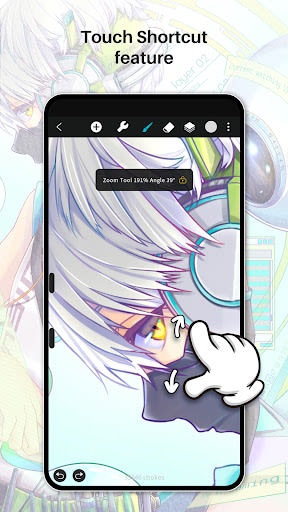
- Perform actions like undo, redo, zoom, rotate, and activate the Eyedropper tool with intuitive multi-touch gestures.
-
Undo and Redo:
- Easily undo and redo actions with quick buttons or tablet keys.
-
Count Your Stroke:
- Track and visualize every stroke you make to witness your creative journey.
Benefits
- Save, Export, and Share: Share your creativity with ease, export your artwork in multiple file formats, and seamlessly continue your art on computer programs like Photoshop, Sai, and Clip Studio Paint.
- Support for Huion Pen Tablets: Enjoy seamless integration with Huion pen tablets and digital pens, with 19 programmable features to enhance your drawing experience.
Technical Information
- Compatibility: Compatible with Samsung smartphones, Huion pen tablets, and digital pens.
- File Formats: Supports JPG, PNG, GIF, PSD, and HuionSketch formats.
- Export Options: Export animations/cartoons to GIF format or continue working on PC using PSD files.
Take your art to the next level with Huion Sketch 3.0 today!
Screenshot
Similar

AI Art Generator: Photo, Draw
Smart AI DEV

Virink What To Draw
Virink

How to draw weapons. Step by step drawing lessons
Udenity

Grid Drawing
The AppGuru

How to draw dinosaurs. Step by step lessons
Udenity
How to draw weapons step by step, drawing lessons
Udenity

How to draw cute food, drinks step by step
Udenity

Sand Draw Sketchbook: Creative Drawing Art Pad App
Kalrom Systems LTD

PENUP - Share your drawings
Samsung Electronics Co., Ltd.

DrawCutie - Draw Cute Girls
BOOSTIFLY LTD

AR Drawing: Sketch & Paint
AR Drawing

Drawely: Draw Color Cute Girls
Multi Tech Apps