
Roku TV Remote Control App
-

Taal
English
-

OS
Android
-

Developer
Kiran Devi
-

#Versie
1.6
App-beschrijving
Discover Roku TV Remote Control App: Your Smart Solution for Roku Devices
Are you seeking a seamless way to manage your Roku Smart TV or Roku Streaming Player from your Android phone? Look no further than Roku TV Remote Control. This intuitive app simplifies the remote control experience, offering convenience and efficiency at your fingertips.
Key Features of Roku TV Remote Control
- No Setup Required: Automatically scans your network to locate your Roku device.
- Universal Compatibility: Works with all Roku versions.
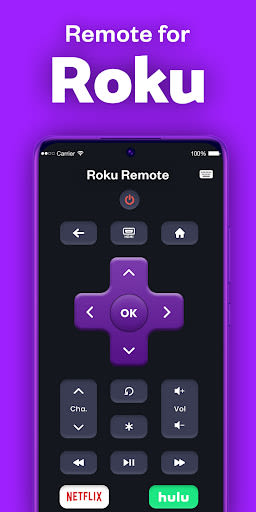
- Full Remote Functionality: Supports all Roku remote buttons.
- Power and Volume Control: Easily power on/off and adjust volume.
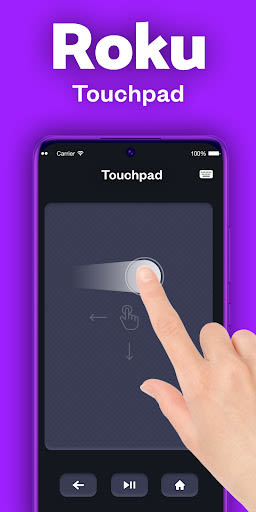
- Effortless Navigation: Navigate with arrow keys and a large touchpad.
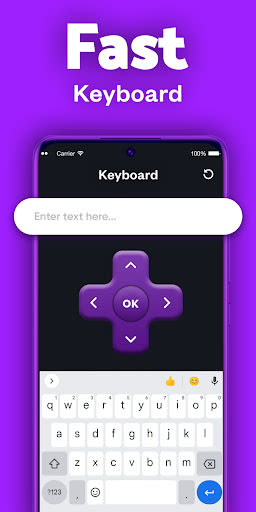
- Convenient Keyboard: Fast and easy text input.
Supported Devices
- Roku Streaming Devices: Express, Express+, Streaming Stick, Streaming Stick+, Premiere, Premiere+, Ultra.
- Roku TVs: TCL, Hisense, Philips, Sharp, Insignia, Hitachi, Element, RCA, Onn.
How to Connect
- Ensure your Android phone and Roku TV are on the same Wi-Fi network.
- Download and launch the Roku TV Remote Control app.
- Select the target device to establish a connection.
Benefits of Using Roku TV Remote Control
- Say goodbye to broken buttons or dead batteries on your physical remote.
- Transform your Android phone into a smart TV controller effortlessly.
Why Choose This App
- Enjoy hassle-free control of your Roku devices with a user-friendly interface.
- Experience the convenience of managing your TV from your smartphone.
Download Roku TV Remote Control now and elevate your TV viewing experience with the ultimate remote control solution.
Disclaimer: This app is an independent product and not affiliated with Roku, Inc.
Schermafbeeldingen
Similar

Dream Home & Garden Makeover
TERAs Games

Stud Finder App: Stud Detector
MKK Games

WAWR- Recover Deleted Messages
WhatSave Tech

Race CommandIQ
Race Communications

BMHBA Parade
Velocity Webworks

Grill Recipes Free
SM Info

Streem Pro
Streem Inc

Zego Resident App
Zego

California Pools & Landscape
Jacob S Carter

Rental Property App 🏡 (Rent T
Easy Loan & Cash Advance

Vacasa Homeowner
Vacasa

WLED
Aircoookie