

FamilyKeeper - Kids
-

Taal
English
-

OS
Android
-

Developer
ReasonLabs
-

#Versie
1.5.5
App-beschrijving
FamilyKeeper Kids: Your Ultimate Parental Control Companion
Welcome to FamilyKeeper Kids, the essential companion app designed to work seamlessly with the innovative Parental Control for FamilyKeeper app. Ensure your child's safety and well-being with our advanced features that provide real-time monitoring and protection.
Key Features of FamilyKeeper:
-
Parental Control for Security
- Customize your child's online content access.
- Filter inappropriate apps, sites, and browser usage.
- Block harmful sites and malicious content.
- Monitor new photos and saved images.
- Receive low battery notifications for your child’s device.
-
Cyberbullying Prevention
- Utilizes AI to detect concerning behavioral patterns and potential cyber threats.
- Alerts you to offensive language across multiple social media platforms.
-
Screen Time Schedule
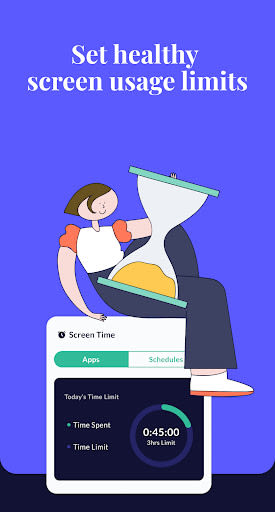
- Combat screen addiction by setting time limits for online usage.
- Track screen time history.
- Personalize your family's screen time schedule with fixed usage times.
-
GPS Alerts
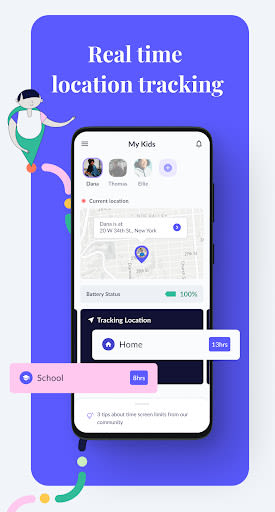
- Track your child's location for peace of mind.
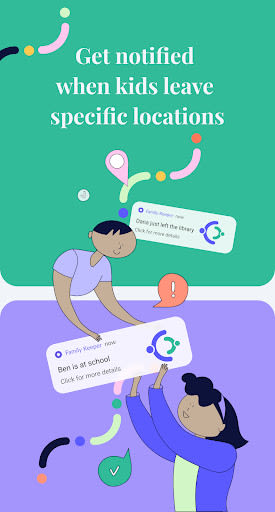
- Get notifications when your child enters or leaves designated areas.
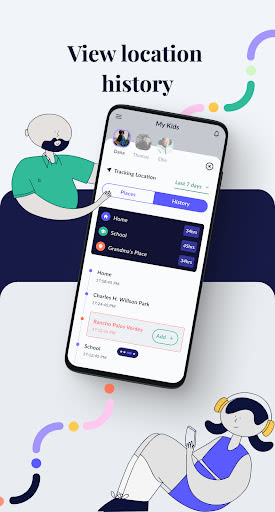
- Access location history.
-
Real-Time Alerts for Age-Inappropriate Activities
- Protects against online predators.
- Alerts you to unknown contacts attempting to reach your child.
Benefits of Using FamilyKeeper:
- Stay informed and ensure your child's safety at all times.
- Real-time tracking and alerts for added peace of mind.
- Prevent cyberbullying and monitor screen time effectively.
- Customize settings to fit your family's needs.
- Protect against online threats and inappropriate content.
Why Choose FamilyKeeper?
- Top-of-the-range geolocation features for precise tracking.
- Virtual fence capabilities and regular updates for enhanced security.
- Free to download and install, making it accessible to all parents.
How to Install FamilyKeeper:
- Download and register the FamilyKeeper app on your device.
- Install and register the FamilyKeeper Kids app on your child's device.
- Easily pair the Parent & Kid apps using your unique pin code.
Parenting made easier with FamilyKeeper - start safeguarding your child today!
Important Information:
- Available in English.
- Privacy policy: Read here
- Permissions required: Notifications access, Accessibility Service, Location services, Query all packages.
For any inquiries or support with FamilyKeeper app installation, visit www.familykeeper.co or contact support at [email protected].
Schermafbeeldingen

Similar

Bedtime Stories for your Kids
Simka

Parents
All About Parenting

Sleepy Baby - White Noise
Fabrikod

Sleep Nanny: Baby Monitor Pro
Smart Sensor Lab

Easy Baby Photo Editor
dotori304

SPORT iD the Player Safety app
SPORT iD

Baby Shopping Checklist (Upgraded!)
BeantownLoner

Christian Hypnobirthing
Christian Hypnobirthing Ltd

theAsianparent: Track Pregnancy & Count Baby Kicks
theAsianparent - largest pregnancy & parenting app

Nara Baby Tracker
Nara Organics

Solid Starts: Introducing Real Food to Babies
Solid Starts

Ovulation Calendar & Fertility
Arbor Ltd