

Invoice Fly - Estimate Maker
4.70
-

Taal
English
-

OS
Android
-

Developer
Labhouse Mobile
-

#Versie
1.7.8
App-beschrijving
Invoice Fly: Your Ultimate Invoicing Companion
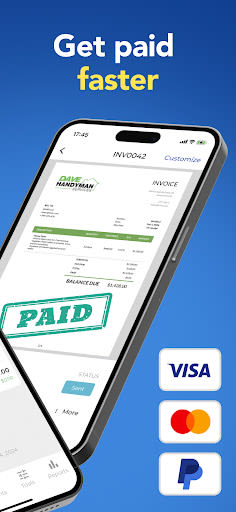
Are you a small business owner, freelancer, or contractor seeking a hassle-free way to streamline your invoicing process? Look no further than Invoice Fly – the go-to solution for creating and sending polished invoices with ease.
Why Choose Invoice Fly?
Say goodbye to the complexities of invoicing and embrace the simplicity of Invoice Fly, designed to cater to your invoicing needs efficiently. Here's why Invoice Fly stands out:
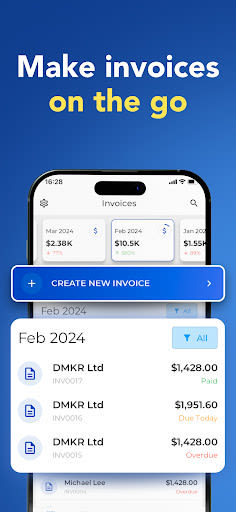
- Effortless Invoicing: Create professional invoices in under a minute, wherever you are.
- Seamless Integration: Easily convert estimates into invoices with a single tap.
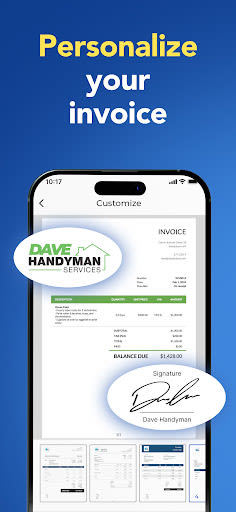
- Customization Options: Choose from a variety of invoice templates and personalize them to suit your brand.
- Enhanced Features: Attach images, additional notes, discounts, taxes, and even your signature to invoices.
- Convenient Sharing: Share or print invoices on the go for ultimate flexibility.
- Client Management: Quickly set up clients using your phone's contact list for convenience.
- Cross-Device Sync: Synchronize all your devices effortlessly with a single account.
- Financial Insights: Track your incomes effectively with user-friendly reports.
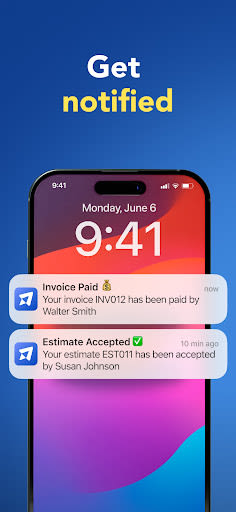
- Real-Time Notifications: Stay informed when your clients receive and open your invoices.
- Dedicated Support: Access 24/7 assistance whenever you need it.
Key Features
- Create invoices swiftly, anytime, anywhere.
- Transform estimates into invoices seamlessly.
- Select from various customizable invoice templates.
- Add images, notes, discounts, taxes, and signatures to your invoices.
- Easily share or print invoices on the fly.
- Manage clients efficiently using your phone's contact list.
- Sync data across all your devices effortlessly.
- Monitor your income through intuitive reports.
- Receive instant notifications upon invoice access by clients.
How to Get Started with Invoice Fly
- Create Invoice: Tap to generate a new invoice.
- Select Client: Choose your client from your contacts with ease.
- Add Items: Include the necessary items and prices.
- Send: Save and dispatch your invoice promptly.
Privacy Policy: View our Privacy Policy
Terms of Use: Read our Terms and Conditions
Experience the convenience and efficiency of Invoice Fly for all your invoicing needs. Simplify your financial tasks today – download Invoice Fly!
Schermafbeeldingen


Similar

Work from Home
Online Jobs & Startups

Acres: Land Data & Parcel Maps
Acres.co

Secure Gateway
ALSCO

ALSCO!
ALSCO

Hirect: Chat Based Job Search
Download now

PACK EXPO/Healthcare Packaging EXPO 2018
Map Your Show

Heritage Parts
Heritage Parts

Stripe Dashboard
Stripe, Inc.

TruckSmarter Load Board & Fuel
TruckSmarter

DScanner - Camera Scanner
CamSoft Information

JOB TODAY: Hire in 24 Hours
JOB TODAY S.A.

Blinq - Digital Business Cards
Blinq Technologies