
Screen Recorder – Audio,Record,Capture,Edit
2.70
-

Taal
English
-

Developer
Screen Mirroring App Studio
-

#Versie
1.5
App-beschrijving
Directory Listing Website: Your Ultimate Business Guide
Are you looking for a comprehensive directory listing website that offers a seamless user experience and a plethora of features to elevate your business visibility? Look no further! Our platform is designed to connect users with top-rated businesses effortlessly. Let's delve into why our directory listing website stands out:
Main Features:
-
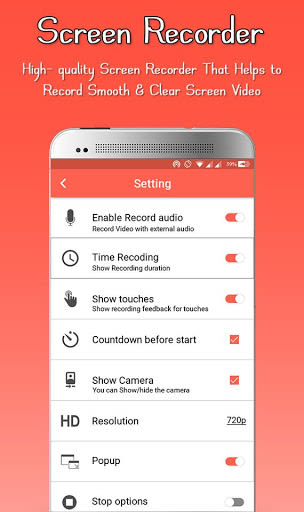
Screen Recorder Capability: Record your screen in HD and Full HD videos with the unique ability to pause and resume recording sessions.
-
Easy-to-Use Interface: A free and user-friendly screen recording app that allows you to capture your mobile screen in various video formats, with or without the front camera.
-
Unlimited Screen Capture: Record your device's screen endlessly and create engaging promotional videos, tutorials, or help videos with audio.
-
Root-Free Recording: Enjoy screen recording without the need for root access, time limits, or watermarks.
Benefits:
-
Create professional videos effortlessly, whether it's a live show, gameplay recording, video chat capture, or online video sharing.
-
Seamlessly integrate audio from the microphone into your screen cast videos for enhanced tutorial or promotional content.
-
Edit your videos with ease by trimming unnecessary parts, adding background music, and sharing them with a global audience.
Why Choose Our App:
-
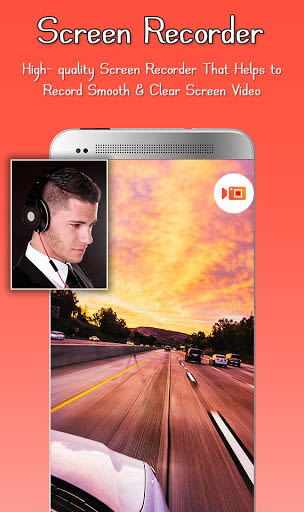
Stable Screen Recording: Capture popular mobile game videos, video calls, and live app programs with smooth and stable screen recording functionality.
-
Video Editing Tools: Enhance your videos by trimming clips, removing unwanted sections, and adding background music to elevate your content.
-
Effortless Screenshots: Capture screenshots with a single hand gesture, eliminating the need for double-press actions.
-
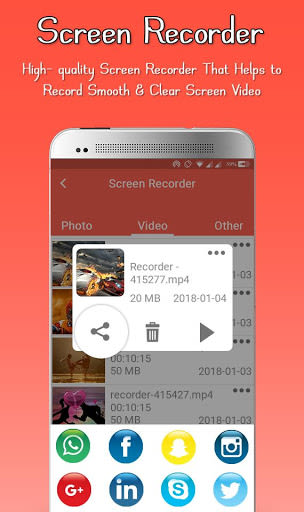
Interactive Sharing: Play and share your recorded video clips directly from the platform to social networking sites and apps.
User Guide:
-
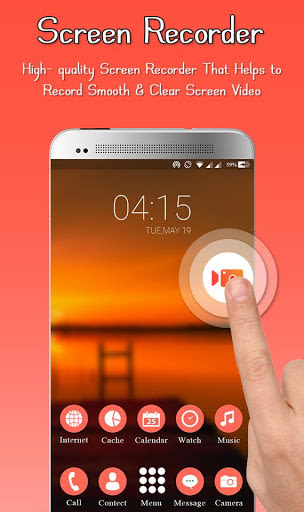
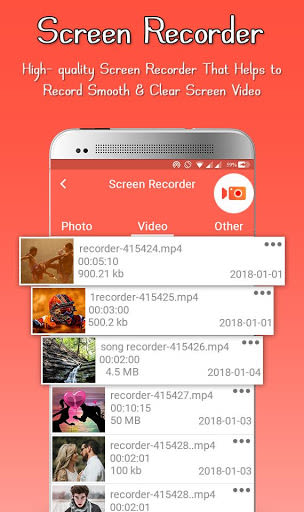
Easily access the control panel for recording, managing, taking screenshots, and using Facecam features.
-
Start/stop recording with a single tap and make quick edits to your video clips, including trimming, adding music, and rotating videos.
Compatibility:
- Enjoy the best screen recording experience on Android devices without the need for a rooted device.
Call-to-Action:
Download our top-rated screen recorder now and kickstart your video creation journey! Experience the ease of capturing, editing, and sharing videos with just a few taps. Your feedback is invaluable to us as we strive to provide the best video recording experience tailored to your needs. Join us today and elevate your digital presence!
Schermafbeeldingen
Similar

All Document Reader 2023
FunGear inc

QR Code Scanner for Android: QR Reader, QR Creator
Taymay - Simple & Effective.

ChatAI: AI Chatbot App
iKame Applications - Begamob Apps

App Lock - Applock Fingerprint
Trusted Tools

All Document Reader - One Read
Simple Design Ltd.

QR Scanner - Barcode Scanner
Leap Fitness Group

PDF Reader - PDF Viewer 2022
Simple Design Ltd.

FlyLadyPlus
FlyLadyPlus

BlackNote Notepad Notes
Notas Notepad

Free QR Code Reader & Barcode Scanner - QR Scanner
JonDev. Mobile

PDF Scanner APP - Scan to PDF
Simple Design Ltd.

Image to PDF Converter - JPG to PDF, PDF Maker
Simple Design Ltd.