
Screen Mirror: Cast to TV
4.70
-

Idioma
English
-

OS
Android
-

Developer
Hydra Global Ltd.
-

#Versão
1.1.3
Descrição do Aplicativo
Discover the Ultimate Screen Mirroring Experience with Screen Mirroring & Cast to TV
Are you ready to elevate your entertainment to a whole new level? With Screen Mirroring & Cast to TV, you can enjoy your favorite movies, videos, music, and photos on the big screen effortlessly. Let's delve into the seamless world of screen sharing and casting!
Why Choose Screen Mirroring & Cast to TV?
- Instantly connect your phone and smart TV on the same wifi network for a hassle-free experience.
- Mirror your entire mobile screen to your television without any latency.
- Securely share content while safeguarding your data.
- Access movies, videos, photos, and apps on your TV screen with ease.
- Effortlessly link your smartphone to your TV wirelessly.
- Enjoy watching TV episodes and series on the big screen anytime.
Key Features:
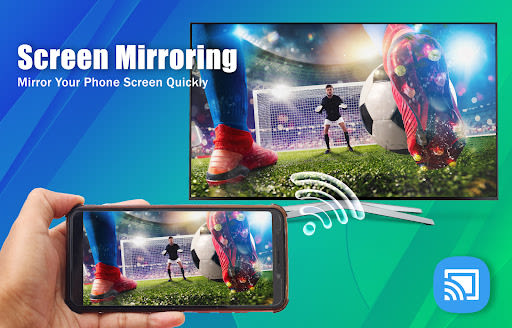
- Screen Mirroring: Mirror your Android device's screen on your smart TV for a cinematic experience.
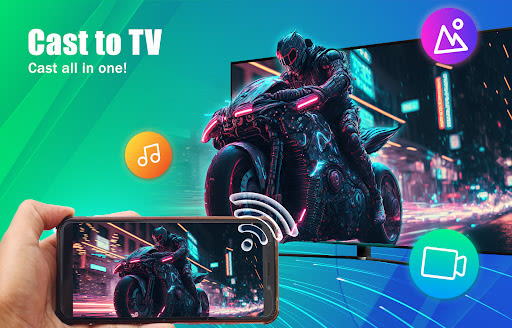
- Cast to TV: Quickly cast videos and movies from your local media library to your TV.
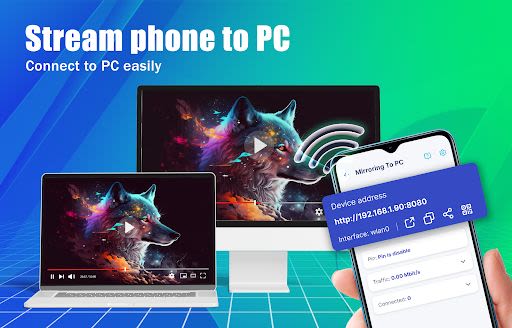
- Stream Mobile to TV/PC: Connect your phone to your PC and mirror your screen with high quality.
- Cast Web Browser: Enhance your browsing experience by casting it to your TV.
Benefits of Screen Mirroring & Cast to TV:
- Enjoy a larger screen experience for movies and videos.
- Share photos, music, movies, and more with friends and family.
- Seamless casting to nearly all Chromecast-enabled devices.
- Preserve battery life by turning off your device without interrupting your streaming.
Technical Details:
- Compatibility: Supports most Smart TV devices.
- Connection: Easily mirror content from phones, tablets, laptops, and other devices via Wi-Fi or Ethernet.
How to Get Started:
- Connect your phone and TV to the same wifi network.
- Download the Screen Mirroring & Cast to TV app.
- Explore a world of seamless screen sharing and casting.
We value your feedback! Contact us with any questions or comments about the Screen Mirroring & Cast to TV app. Elevate your entertainment experience today!
Capturas de Tela
Similar

Windows 11
Microsoft

Wear Flashlight
CodVerter

Grok
xAI

Cleaner Antivirus VPN Cleaner
Cleaner + Antivirus + VPN company

owoTrack
Finoki

تەختەکلیلی کوردی | Kurdish Keyboard
Goran Gharib

Icon Torch - Flashlight
Aleksandr Balaev

Secure VPN
Dream limited

VPN Proxy Master - Secure VPN
Share File Technologies by 090 Bravo

Give VPN
Speed Group dev

Super Antivirus - Clean Virus
SUPER ANTIVIRUS

Fly Browser-Search & Private
Readerland