

Qustodio Parental Control
3.00
-

Dil
English
-

OS
Android
-

Developer
Qustodio LLC
-

#Sürüm
180.58.0.2-family
Uygulama Açıklaması
Discover Qustodio: The Ultimate Parental Control App
Rated as PC Mag’s Editors’ Choice, Qustodio stands out as the go-to solution for families seeking to safeguard and manage Android devices effectively. With a Free version offering essential features and a Premium upgrade unlocking advanced functionalities, Qustodio caters to various parental control needs.
Key Features:
- Protect 1 child’s device with comprehensive monitoring capabilities.
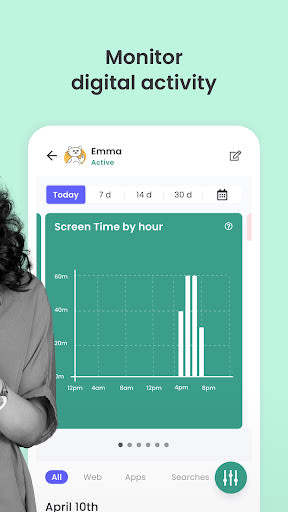
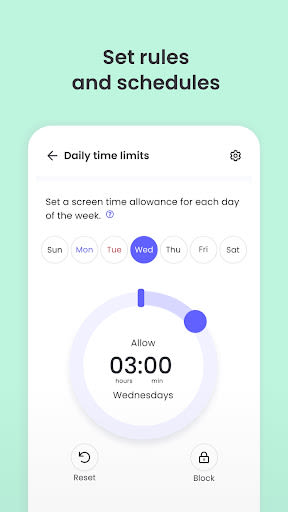
- Set Screen Time limits and manage web and search activity.
- Block adult content effortlessly.
- Receive automatic daily activity reports.
- Access the web-based dashboard and parents’ app for monitoring and rule-setting.
Benefits:
- Secure online environment for children.
- Enhanced supervision and control over device usage.
- Easy-to-use interface for parents.
- Multi-device compatibility for Premium users.
Why Choose Qustodio?
Qustodio empowers families with children of all ages, including those with disabilities, to foster healthy digital habits. By offering a blend of protection and guidance, Qustodio enables users to lead balanced lives and prioritize daily activities.
How to Get Started:
- Install the app on the designated device.
- Follow the simple setup instructions in the app.
- Enjoy automatic blocking of inappropriate websites.
- Monitor activity and set rules via the online dashboard or the parent app.
Technical Information:
- Compatibility: Android, iOS, Windows, Mac, Kindle.
- Languages: English, Spanish, French, Italian, Portuguese, German.
- Support: Email assistance available at [email protected].
Additional Notes:
- Permissions: Device Administrator permission required.
- Accessibility: Utilizes services to enhance user experience for individuals with behavioral disabilities.
- Troubleshooting: Disable battery-saving mode on Huawei devices for optimal performance.
Don't compromise on your family's online safety and well-being. Experience the peace of mind that comes with Qustodio. Take control today!
Ekran Görüntüleri


Videolar
Similar

Wingman: AI Dating Assistant
Vert Media

TenderBang: Dating for Locals
Tender Meetups App

Real Life Network
RealLife Network

Bible for woman + audio
biblia1960

Lalo
Lalo

American Greetings Ecards
American Greetings

Spirit Box Ghost EVP P-GB11
Marcus Ferron

Discotech: VIP Bottle Service, Guest List, Tickets
Discotech, Inc.

Frontdoor
frontdoor

Quran Majeed – Holy Quran
Gwal Apps

Row Counter - Knit and Crochet
Annapurnapp Technologies

RIZZ
TrendIt