

Santander Mobile Banking
4.10
-

Dil
English
-

OS
Android
-

Developer
Santander UK plc
-

#Sürüm
4.20.0 (113)
Uygulama Açıklaması
Welcome to Santander Mobile Banking Directory App
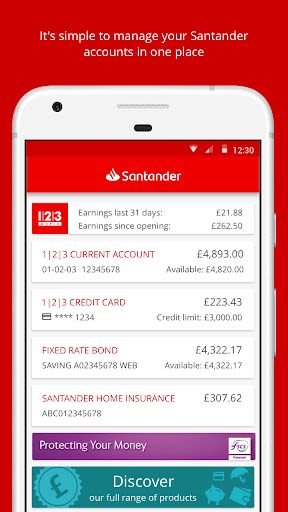
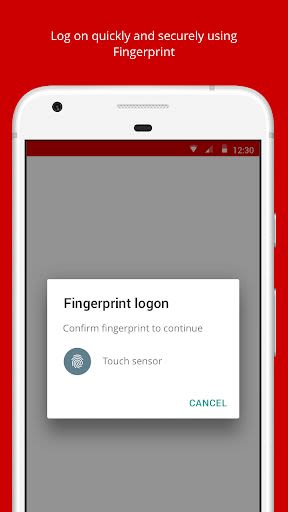
Simplify your banking experience by accessing all your Santander accounts securely and swiftly with just a fingerprint scan. Manage your finances effortlessly by paying bills, transferring funds, and staying informed about your accounts, all in one convenient platform.
Key Features:
-
Secure Access:
- Log in quickly and securely using your fingerprint.
-
Account Management:
- Check your account balances and transactions spanning over 7 years.
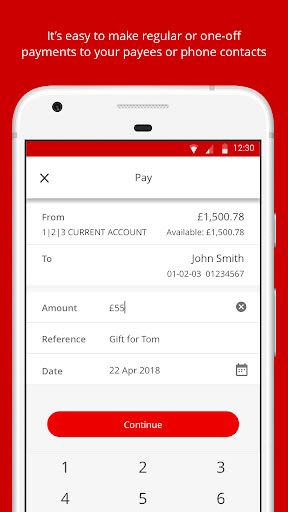
- Transfer funds between your Santander accounts or make payments to others.
- Utilize Paym to pay individuals using just their mobile number.
-
Financial Insights:
- Monitor interest rates on savings accounts and bonds.
- Track details of your ISA, including interest rates and tax-free allowance.
-
Convenient Services:
- Manage Direct Debits and standing orders effortlessly.
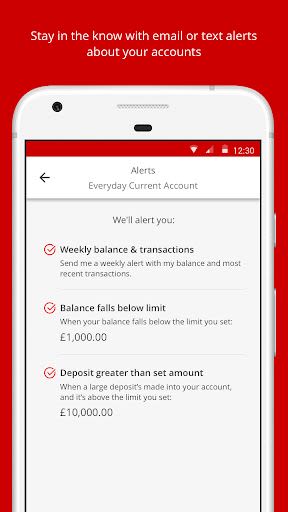
- Receive alerts for credit card limits and account management.
-
Retailer Offers:
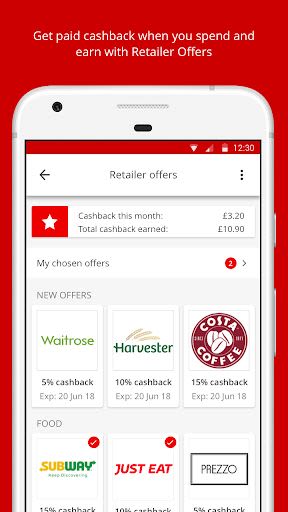
- Select Retailer Offers to earn cashback at top retailers by using your Santander card.
-
Security Measures:
- Automatic log-off feature ensures data security when the app is sent to the background.
Benefits:
- Streamlined account access and management
- Enhanced financial control and insights
- Convenient bill payments and fund transfers
- Personalized Retailer Offers for cashback rewards
- Robust security features for peace of mind
Why Choose Santander Mobile Banking:
- Easy and secure fingerprint login
- Comprehensive account management tools
- Customizable alerts for better financial control
- Exclusive Retailer Offers for additional savings
- Reliable data security measures
Getting Started:
Before diving in, ensure Santander has your current UK mobile number for One Time Passcodes. Follow these simple steps to begin Mobile Banking:
- Open the app and enter your Online Banking credentials.
- Receive a One Time Passcode via text message.
- Enter the code in the app to register your device.
- Opt to set up fingerprint login for added convenience.
Important Information:
- Safeguard your One Time Passcode and never share it.
- Avoid downloading software or granting remote access during unsolicited calls.
- Exercise caution with email or text message links requesting Online Banking details.
Technical Requirements:
- Ensure your Android device runs on version 4.4 (KitKat) or higher.
- Grant necessary app permissions for optimal functionality.
- Keep your device's software updated for smooth performance.
For a seamless banking experience, trust Santander Mobile Banking to provide secure, efficient, and user-friendly services tailored to your financial needs.
Download now and take control of your finances with Santander Mobile Banking!
Ekran Görüntüleri
Videolar
Similar

R+V Gesundheit
R+V Allgemeine Versicherung AG

ING España. Banca Móvil
ING BANK N.V. SUCURSAL EN ESPAÑA

Plus500 Trading
Plus500 Trading

NMG
EBSphere

MultiBank-Plus: Invest & Trade
MEX Digital

OneCard: Metal Credit Card
FPL Technologies

NUGPay
National Unity Government of Myanmar

ASN Bank
ASN Bank

MyTonWallet • TON Wallet
MyTonWallet

Splitser - WieBetaaltWat
Splitser B.V.

Ledger Live: Crypto & NFT App
Ledger

Wagetap: Instant Cash Advance
Digital Services Australia V Pty Ltd